Set up different shipping rates based on the payment method
If you offer both locker delivery and home delivery, you can define four shipping options:
Locker delivery — card payment
Locker delivery — cash on delivery
Home delivery — card payment
Home delivery — cash on delivery
You can customize the shipping rate names however you like. Each name just needs to include a keyword that identifies card payment or cash on delivery.Each shipping option can have a different price. Offering lower shipping rates for card payments encourages customers to pay by card- Encouraging card payments can also help reduce the number of uncollected parcels, as customers have already paid for their orders.
Step 1: Shopify settings
Go to Shopify → Settings → Shipping and delivery, select the shipping profile and the market or shipping zone you want to configure, and add the desired shipping rates.
Each rate name must include a keyword that identifies the associated payment method.
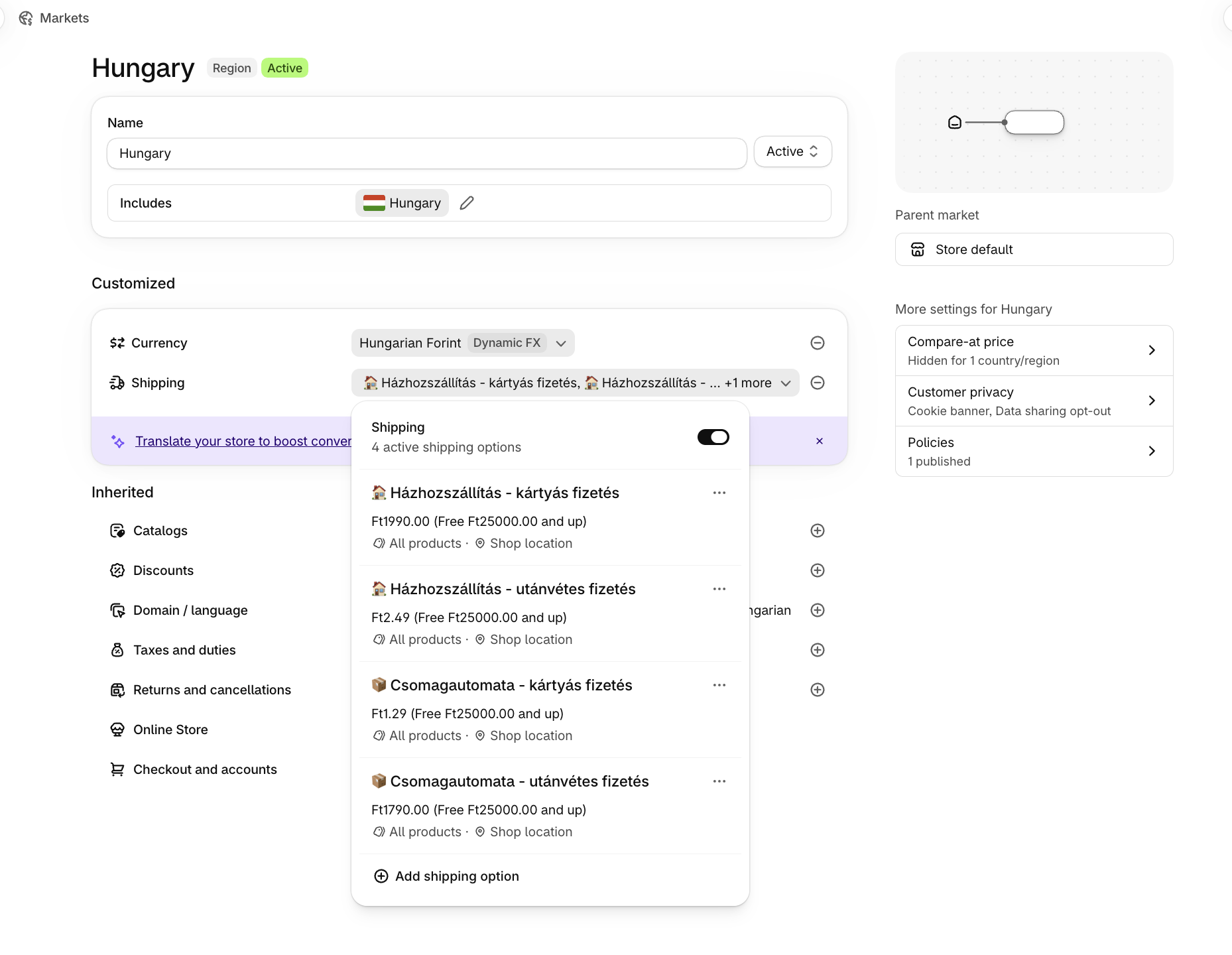
You can choose any keyword. In this example, we used “plata card” for card payments and “plata ramburs” for cash on delivery.
example 1 - Romanian market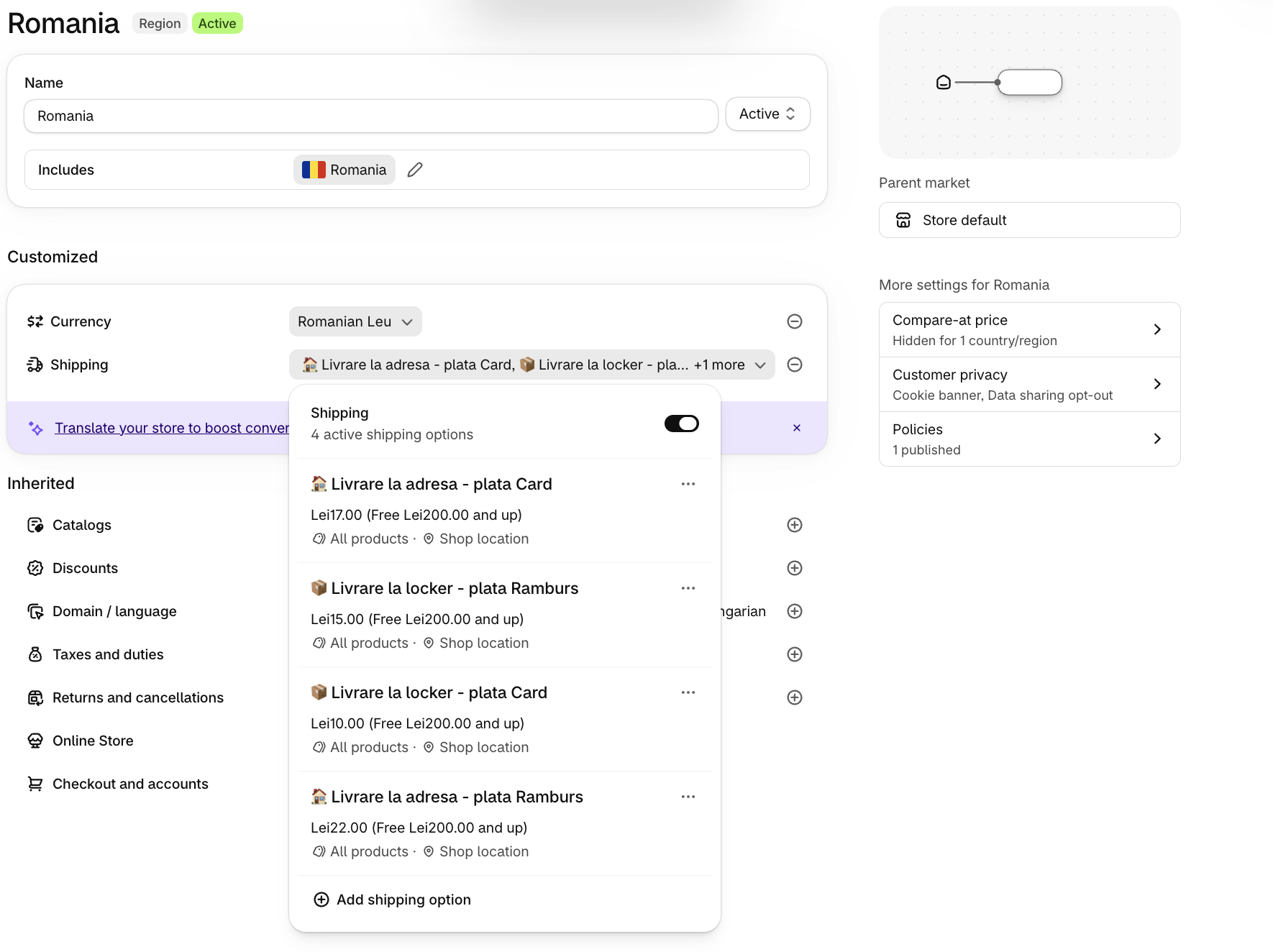
example 2 - Hungarian market
Step 2: xConnector settings
Go to xConnector → Profile → Locker integration → Card / cash-on-delivery pairing.
Card rate keywords: Enter the keyword used to identify shipping rates associated with card payments.
Cash-on-delivery rate keywords: Enter the keyword used to identify shipping rates associated with cash on delivery.
You can also add keywords for other markets.
In the example below, we configured separate shipping rates for the Hungarian market and saved the corresponding keywords in xConnector.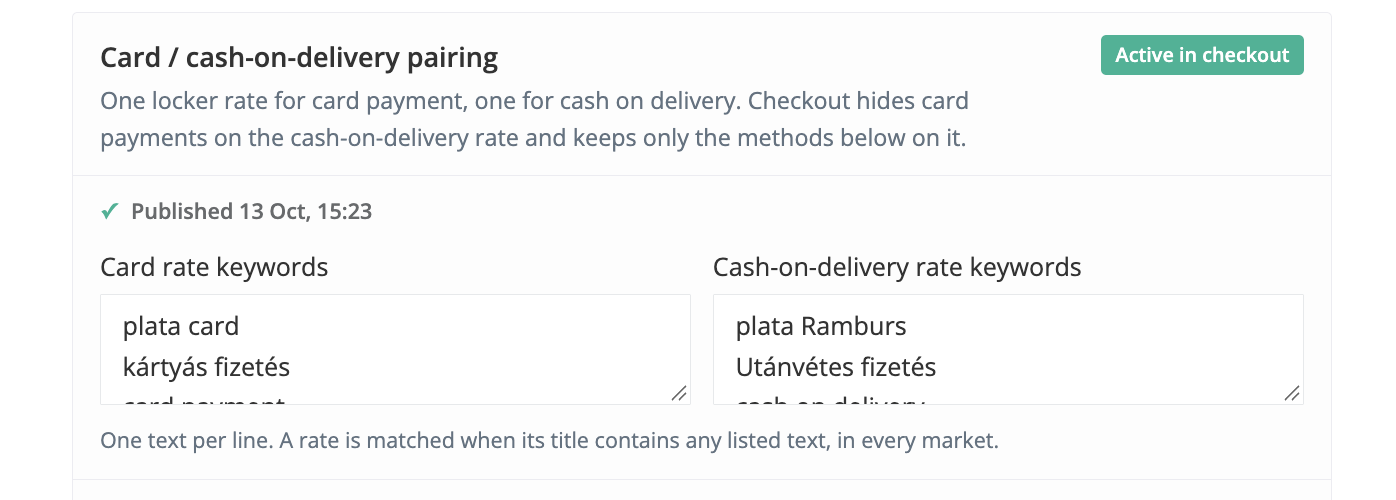
Test here to try both options:
Test 1: Select a locker in the Cart, then proceed to Checkout.
Test 2: Continue without selecting a locker in the Cart. Choose locker delivery at Checkout, then select your locker on the Thank You page after completing the order.
https://xconnector-lockercarttest.myshopify.com
Password: cart
(On the test store, card payment remains visible to allow testing. Only cash on delivery is hidden when you select a shipping option associated with card payment.)
Was this article helpful?
That’s Great!
Thank you for your feedback
Sorry! We couldn't be helpful
Thank you for your feedback
Feedback sent
We appreciate your effort and will try to fix the article