Locker Map Integration in Shopify Checkout
The locker map can be embedded directly into the Shopify checkout page only if the store is using a Shopify plan that supports checkout customization, specifically the Shopify Plus subscription.
Technical Considerations
Implementing the xConnector locker map in the Shopify checkout is an advanced customization process and requires:
- Shopify Plus checkout extensibility
- Frontend development experience (Checkout UI Extensions)
- Theme-specific adjustments
- Compatibility checks with existing checkout flows, apps, and payment methods
- Validation of locker selection and address mapping logic
The exact implementation may vary depending on:
- The Shopify theme in use
- Existing checkout customizations
- Active third-party apps
Example 1: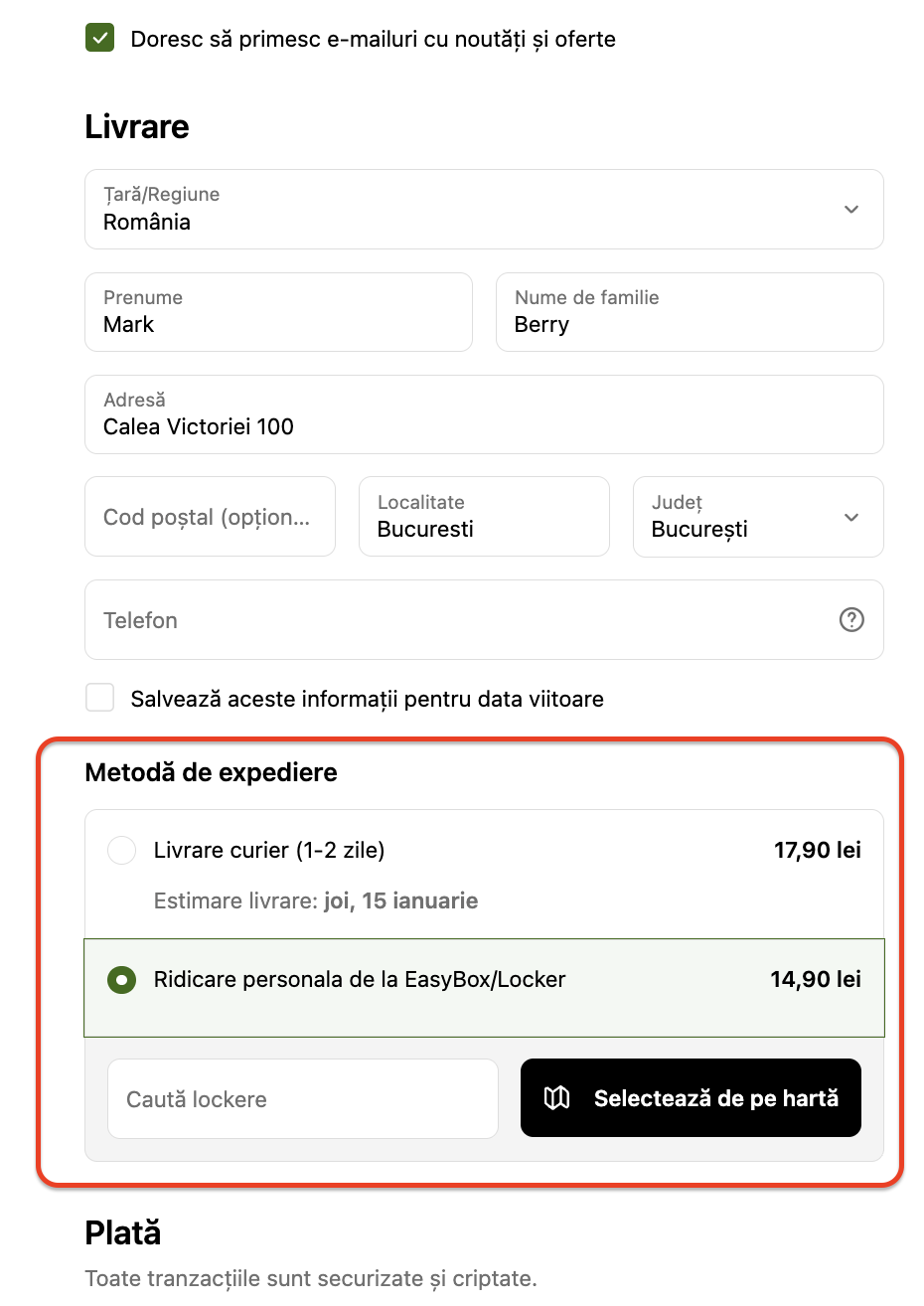
Example 2:
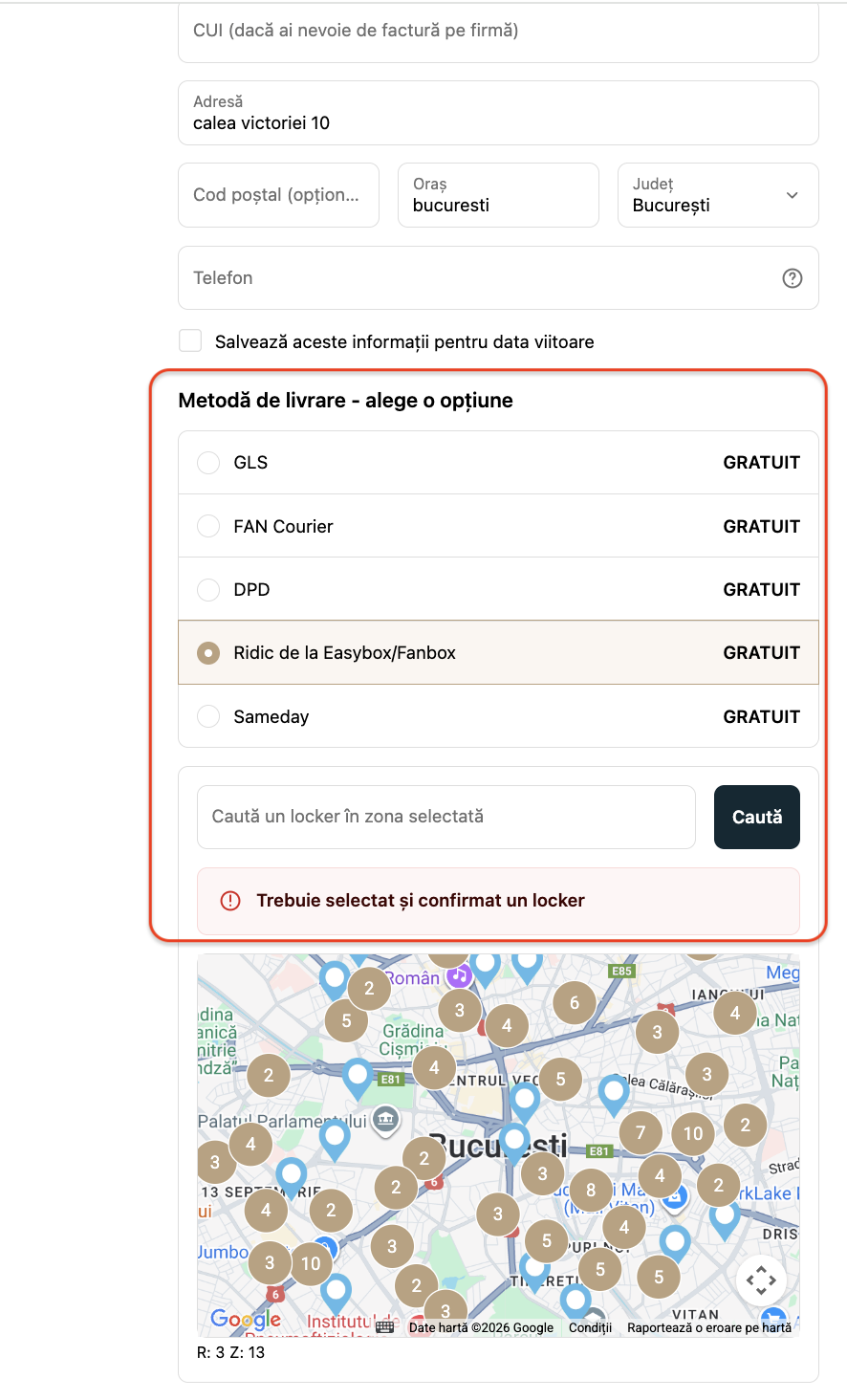
Implementation Support
The xConnector locker map can be implemented with the support of Vevol Media - subject to additional fees, a marketing and eCommerce agency with proven experience in:
- Shopify Plus store management
- Advanced checkout customisations
- Migration from other platforms to Shopify
- Complex eCommerce integrations
More details about their Shopify Plus services:
https://vevolmedia.com/services/shopify-plus
Notes
- Locker map integration at checkout is not available on standard Shopify plans, only Shopify Plus
- Customization of a Shopify Plus store requires advanced technical knowledge, development experience, and a thorough understanding of Shopify checkout extensibility.
- xConnector provides the locker map settings only for non - Shopify Plus subscription
Was this article helpful?
That’s Great!
Thank you for your feedback
Sorry! We couldn't be helpful
Thank you for your feedback
Feedback sent
We appreciate your effort and will try to fix the article
