the SmartBill service, which handles the unit conversionshops that do not have any other unit conversion app installed
If you sell products as sets, but want the stock to be deducted based on the number of individual units included in each set, follow the setup below.
Explanation
In Shopify, there is no built-in concept of unit of measure for stock or sales. The platform works only with generic quantities, expressed as whole numbers such as quantity x 1, 2, 3, etc.
Our setup is useful when a product is sold in one unit of measure, but stock is managed in a different unit of measure in SmartBill.
In this scenario:
- the product is sold in Shopify as a generic quantity
- xConnector sends the secondary unit of measure on the invoice
- SmartBill automatically converts between the secondary unit and the main unit
- stock deduction is performed in SmartBill using the main unit of measure
This setup can be used in multiple scenarios, for example:
- the product is sold in boxes, but stock is managed in pieces
- the product is sold in pieces, but stock is managed in meters
- the product is sold in packs, but stock is managed in pieces
- the product is sold in centimeters, but stock is managed in meters
- the product is sold in bottles, but stock is managed in liters
How it works
The flow is the following:
- In Shopify you define the unit you sell (pack, set, meters etc) the customer orders a simple numeric quantity, for example quantity 1, 2, or 10.
- xConnector reads this quantity and sends the product to SmartBill using the unit of measure configured for invoicing.
- In SmartBill, the product is configured with:
- a main unit of measure, used for stock management
- a secondary unit of measure, used for invoicing
- a conversion rule between the two
- SmartBill issues the invoice using the secondary unit of measure and deducts stock using the main unit of measure, based on the conversion defined on the product.
Important: xConnector does not perform the stock conversion. The conversion is handled by SmartBill, according to the product configuration.
Required configuration
For this flow to work correctly, the product must be configured in SmartBill with:
- main unit of measure - used for stock
- secondary unit of measure - used for invoicing
- conversion between the secondary unit and the main unit
In addition, a metafield must be configured in Shopify at product or variant level, so xConnector knows which unit of measure to send on the invoice.
The value sent from Shopify must match exactly the unit of measure defined in SmartBill.
Settings
1. xConnector settings
Enable the option to read metafields from Shopify:
Go to xConnector - Profile - Preferences - Automation - activate Read product and order metafields - Save
2. Shopify settings
From the Shopify admin panel, navigate to Settings > Metafields and metaobjects
In the Metafields section, click on Product or Variants if the product has variants
Click on Add definition:
- Name: fill in measuring-unit
- After you type the name, click on the custom name and rename it with xconnector.measuring-unit
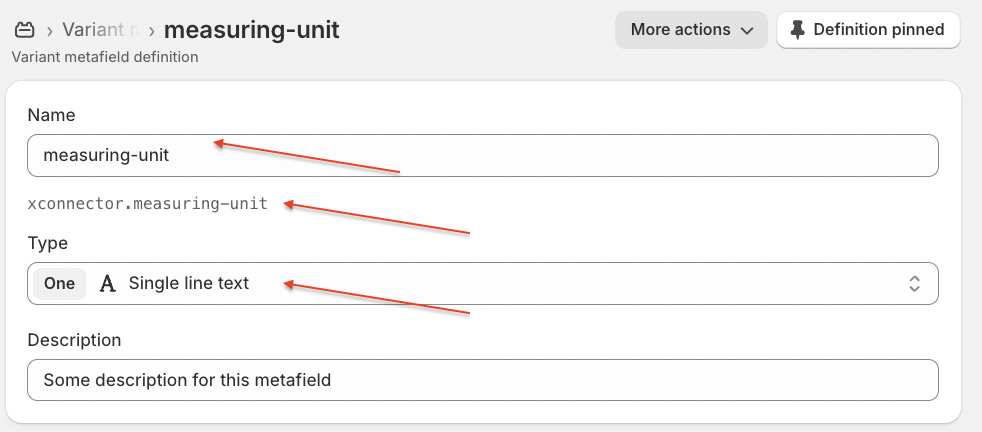
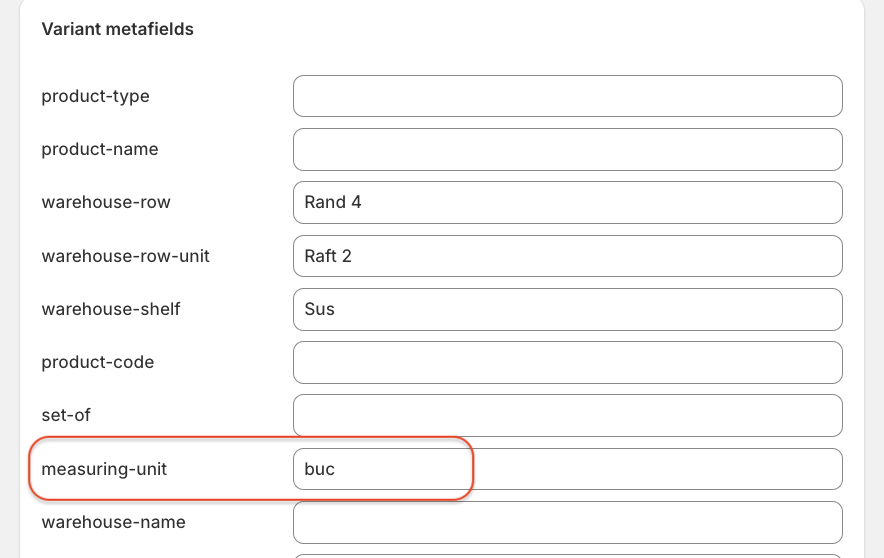
This metafield will be displayed for each product variant in Shopify and you should filled it in with the secondary unit measure from Smartbill.
3. SmartBill settings
- Open the product settings.
- Configure the main unit of measure.
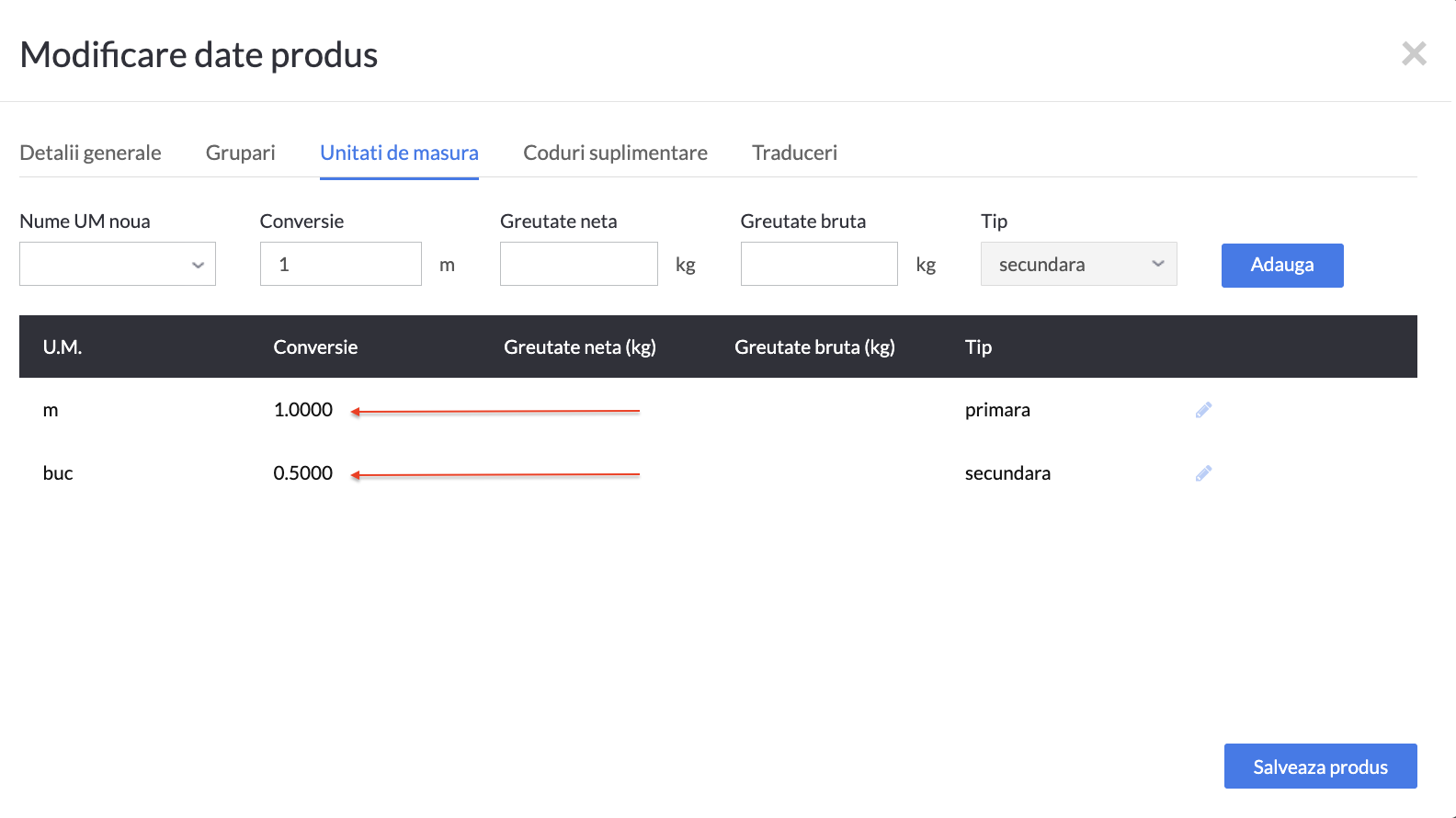
- Add the secondary unit of measure.
- Define the conversion rule between the secondary and main units.
Example
I sell curtains.
In Shopify, the smallest sale unit is 0.5 meters, and the product is sold in quantities such as 1 buc, 2 buc, 3 buc, etc.
In SmartBill:
- the main unit of measure is m
- the secondary unit of measure is buc
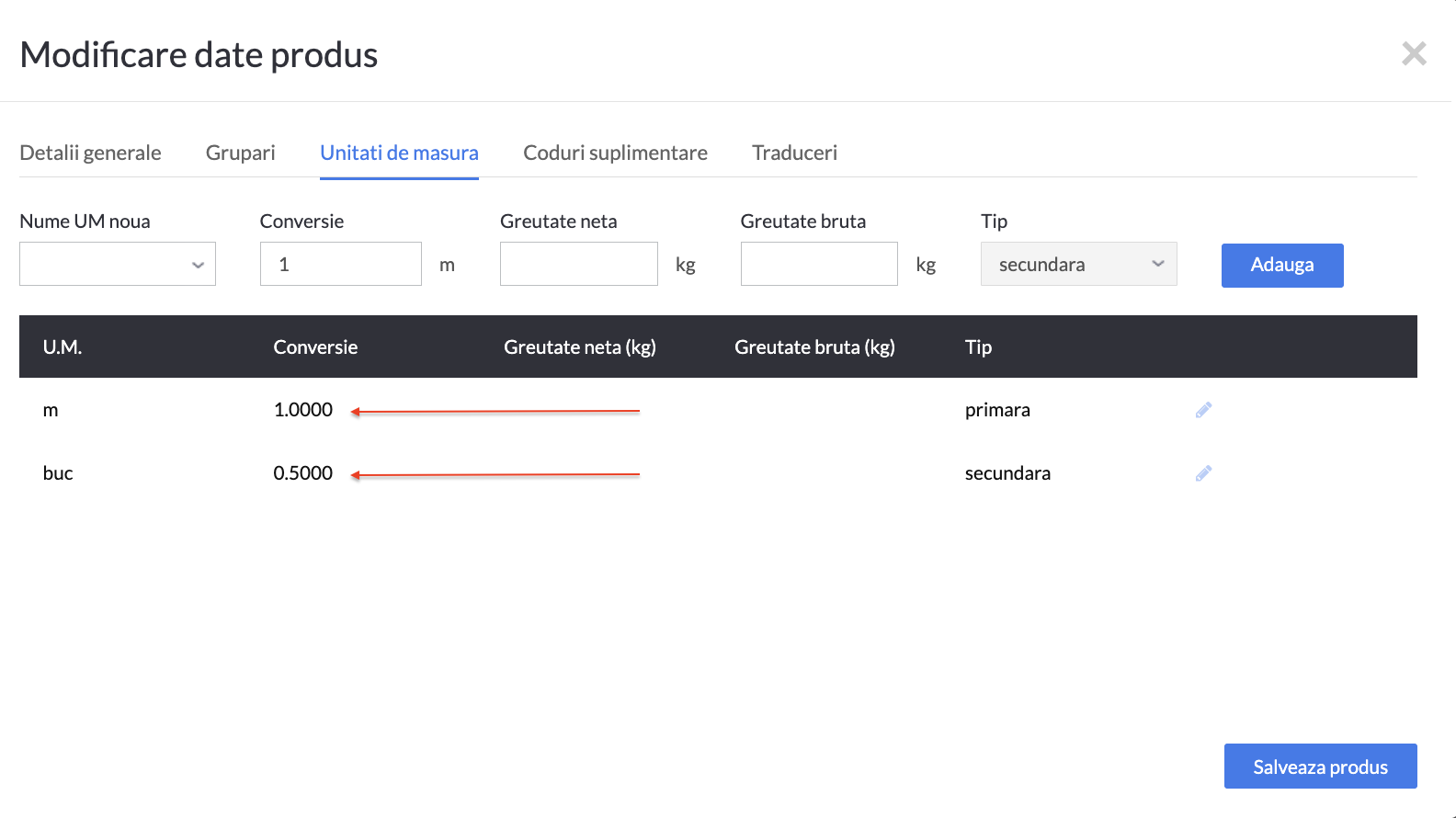
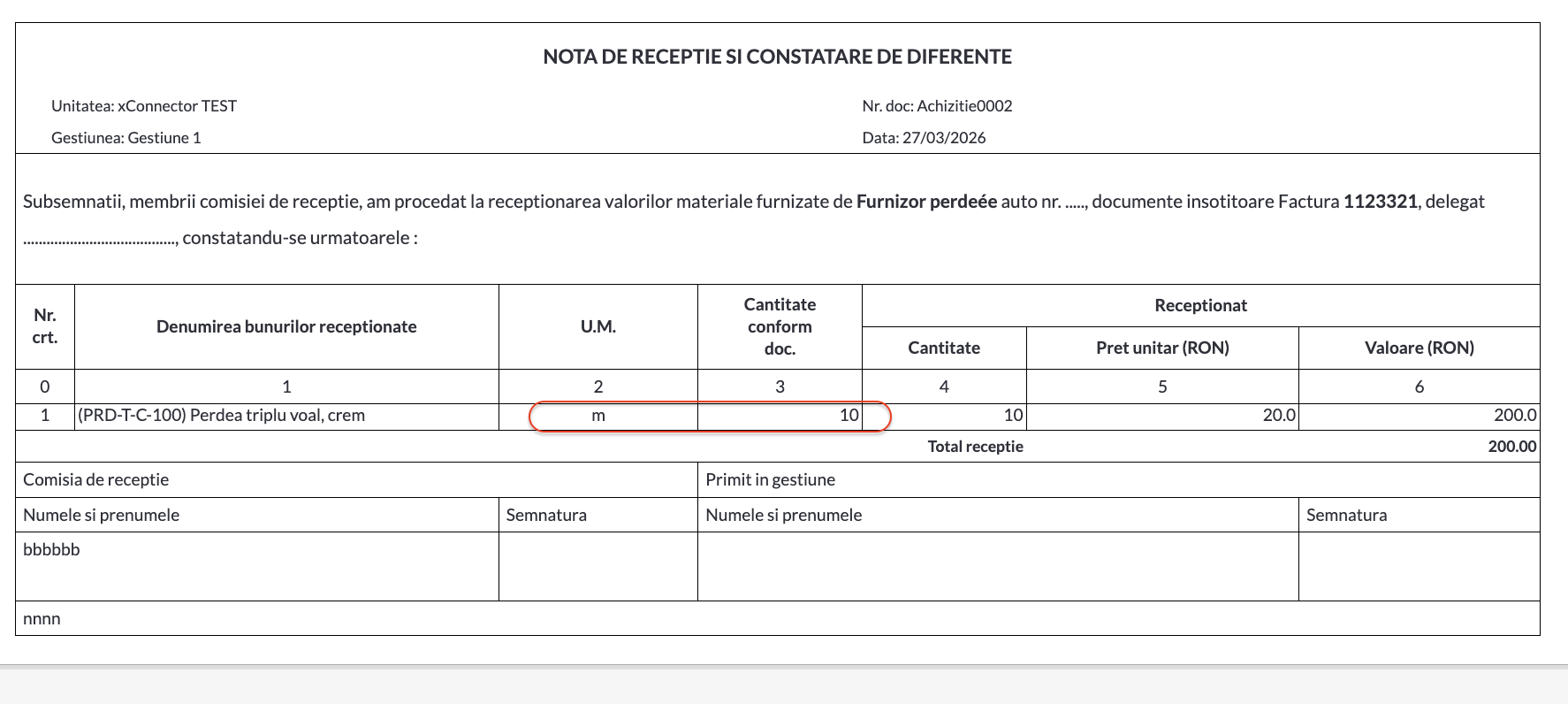
In SmartBill, the stock for this product is managed in meters, and the available stock is 10 m.
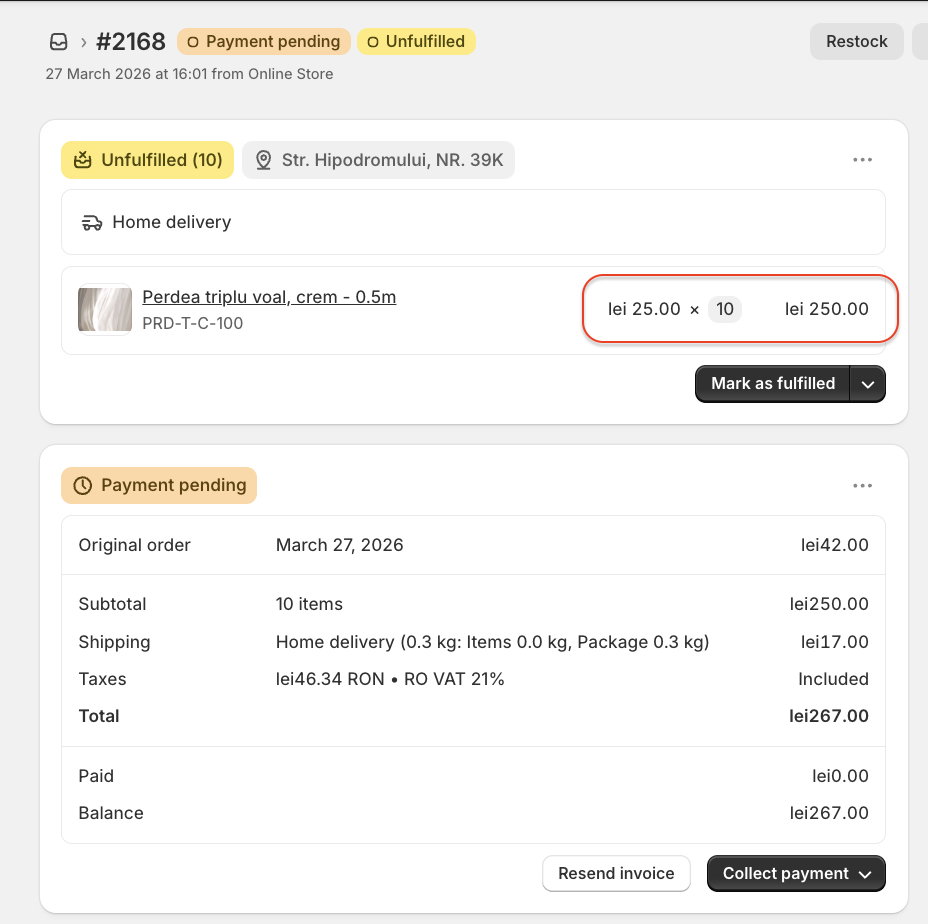
I received an order for 10 buc, which means 5 m based on the conversion configured in SmartBill.
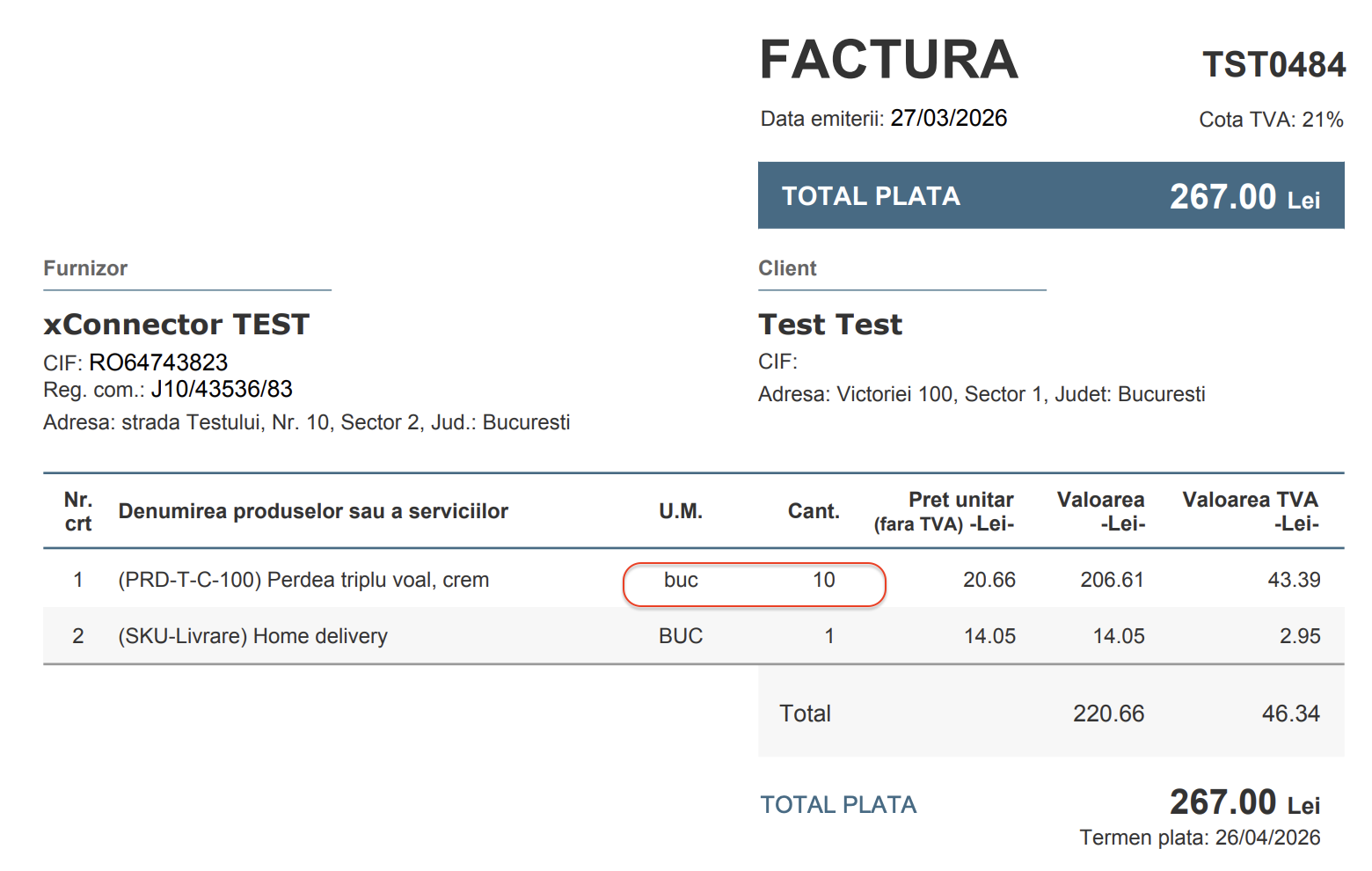
On the invoice, the product will be billed as 10 buc, while 5 m will be deducted from stock.
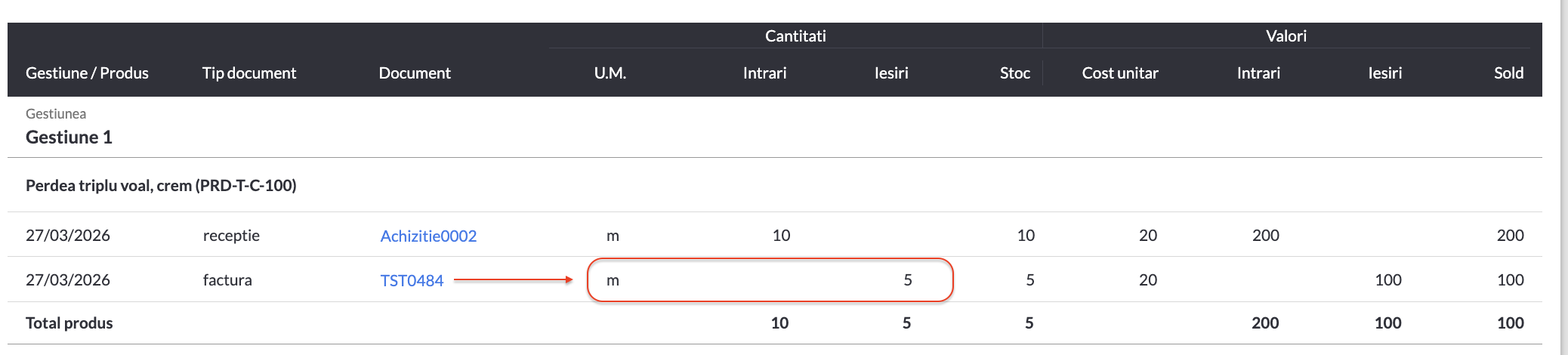
SmartBill received the information that the invoice contains 10 buc, applied the conversion based on the configured settings, and deducted 5 meters from stock.
This feature is available to Advanced plan
Feel free to contact us if you need any further information:
Chat: click on the blue chat icon (bottom-right)
E-mail: support@xconnector.app
Phone: +4 0373 747 991
Was this article helpful?
That’s Great!
Thank you for your feedback
Sorry! We couldn't be helpful
Thank you for your feedback
Feedback sent
We appreciate your effort and will try to fix the article