Displaying the Invoice Link in the Customer Account
This feature enables the display of an invoice download link directly within the customer account, by integrating the xConnector Invoice Download extension into the Shopify platform.
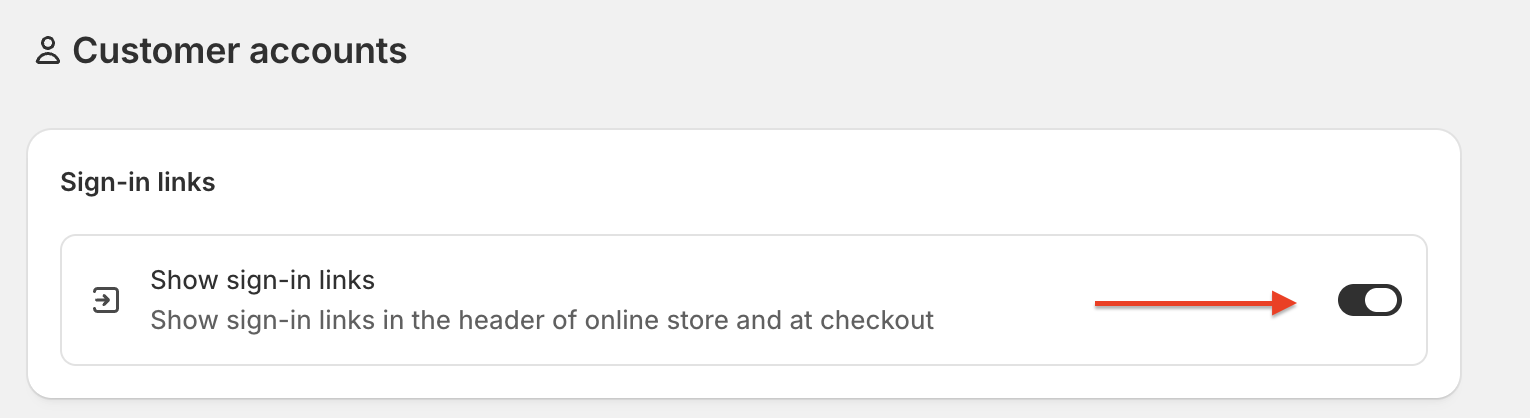
Step 1 — Enable Customer Accounts in Shopify
Navigate to the customer account settings in the Shopify admin panel:
- Go to Settings from the main Shopify menu.
- Select Customer accounts.
- Enable the customer accounts
Step 2 — Add the xConnector Extension to the Order Status Page
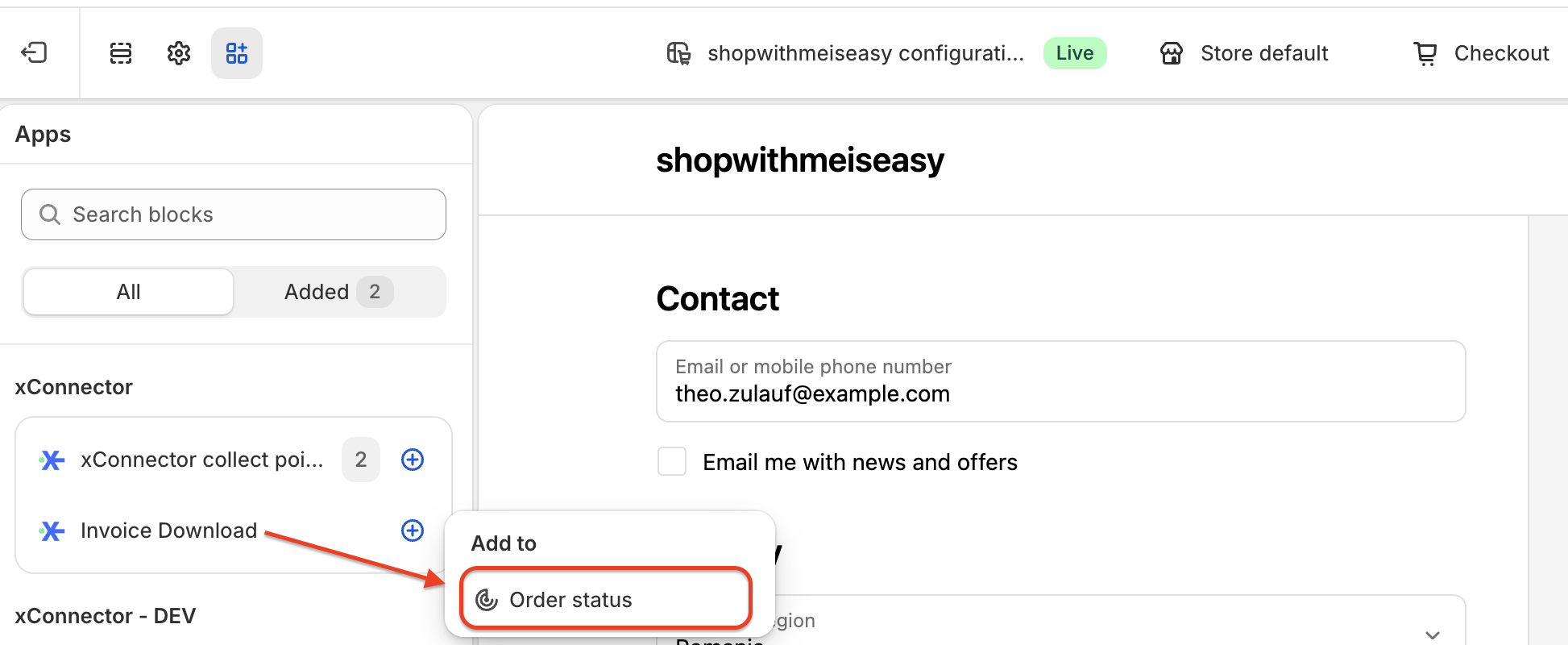
Follow the steps below to integrate the invoice download block:
- Go to Settings in the Shopify admin.
- Navigate to Checkout.
- Click Customize.
- From the menu, select Apps.
- Find xConnector Invoice Download and click Add to Order Status Page.
- Position the block anywhere on the page according to your preference.
⚠️  Important Note

Current availability: This feature is currently implemented for the Order Status Page only.
Coming soon: Support will be extended to the Order section as well.
As a result: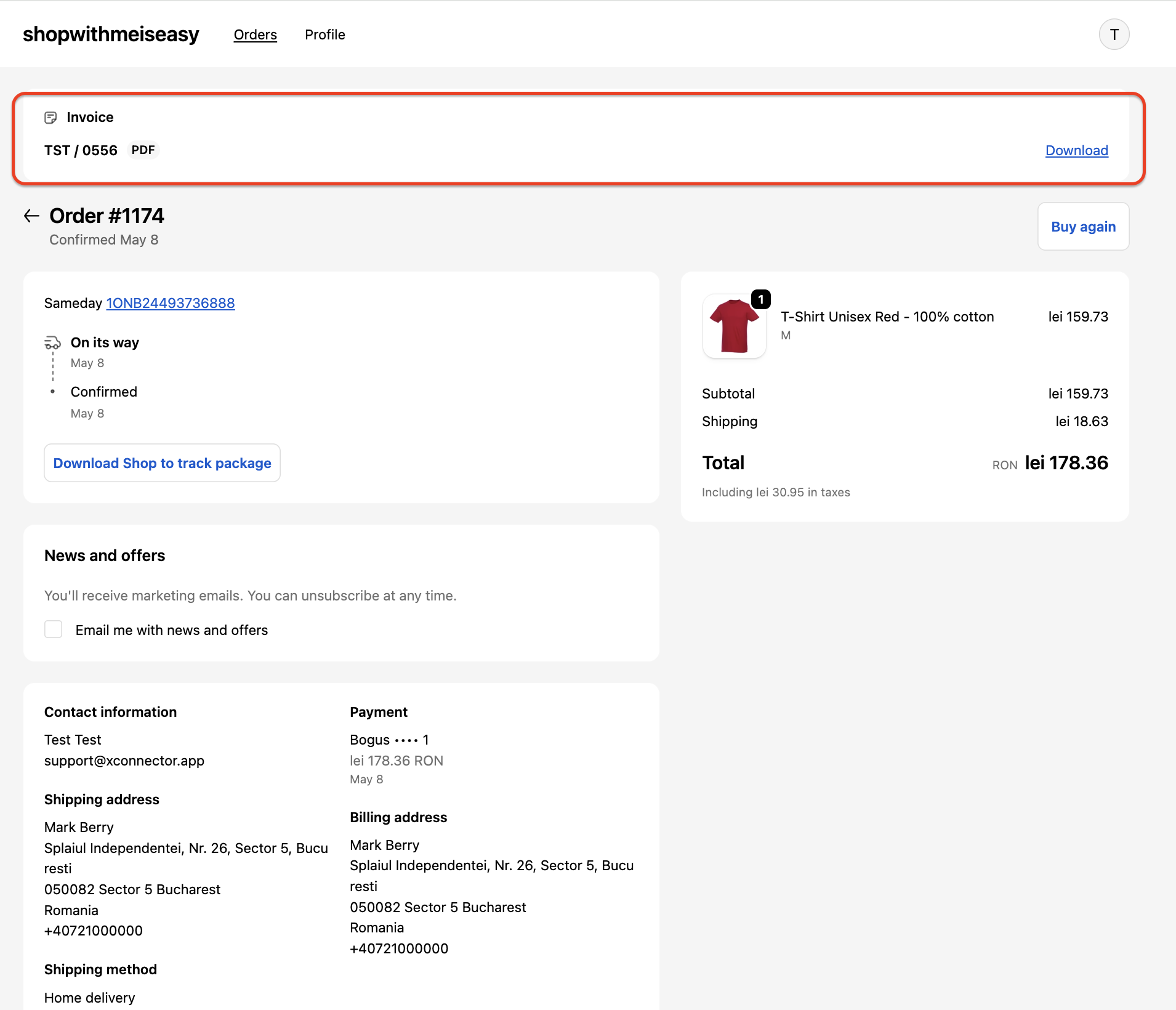
Contact
➡️ Need help with xConnector? We are just a message away:
Chat: click the blue chat icon (bottom-right)
E-mail: support@xconnector.app
Phone: +4 0373 747 991
➡️ Stay connected with xConnector:
Facebook group: https://www.facebook.com/groups/shopify.romania.xconnector
Facebook page: https://www.facebook.com/xConnectorApp
TikTok: https://www.tiktok.com/@xconnector.app
YouTube: https://www.youtube.com/@xconnector_app
Was this article helpful?
That’s Great!
Thank you for your feedback
Sorry! We couldn't be helpful
Thank you for your feedback
Feedback sent
We appreciate your effort and will try to fix the article