
Update 11.08.2026: Picking List Improvements

Modified on Wed, 19 Aug at 11:31 PM


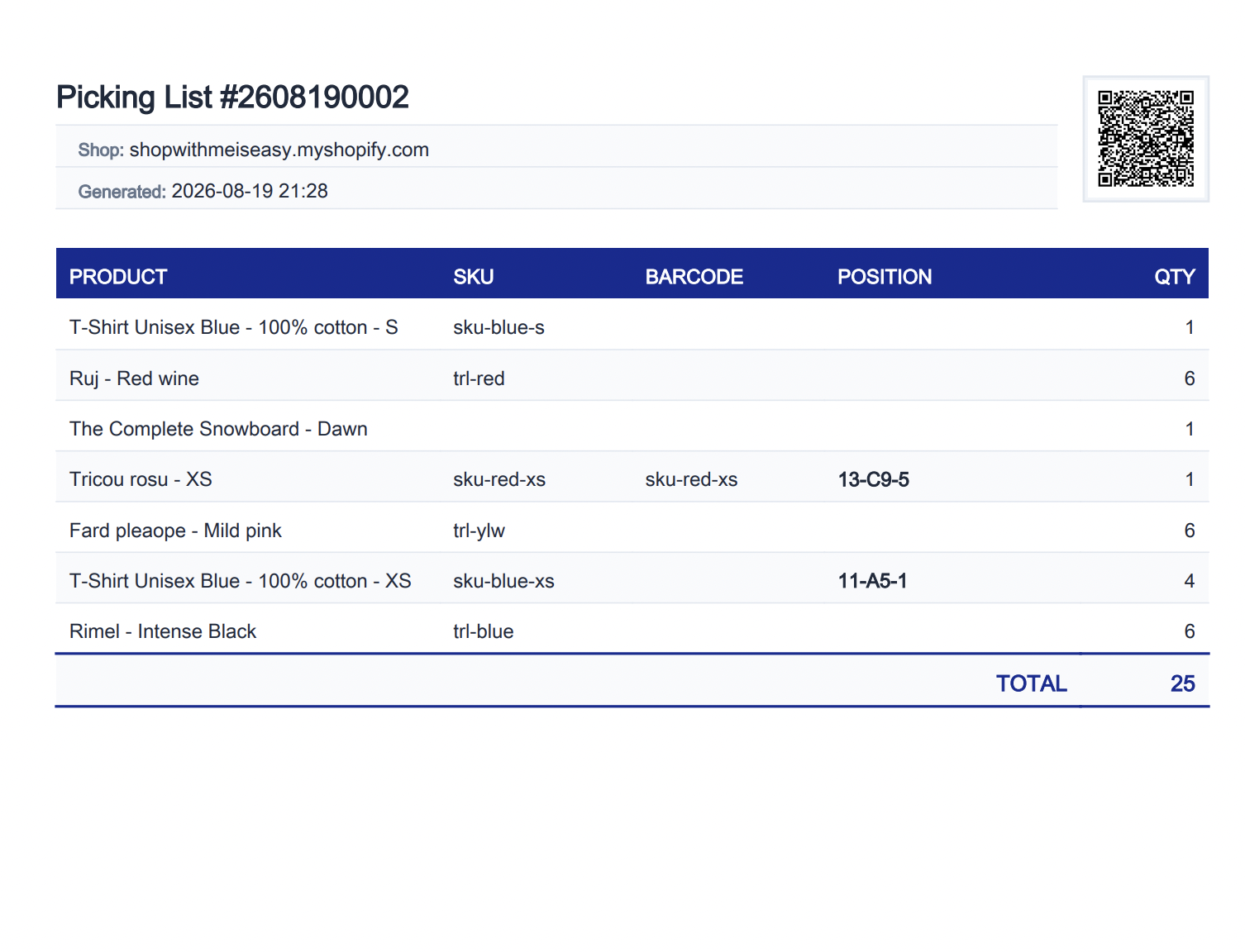
The picking list generated during bulk shipping label creation has been improved.

  • Barcode and Position columns have been added. If a product has a barcode or a configured shelf position, this information will also be displayed on the picking list.
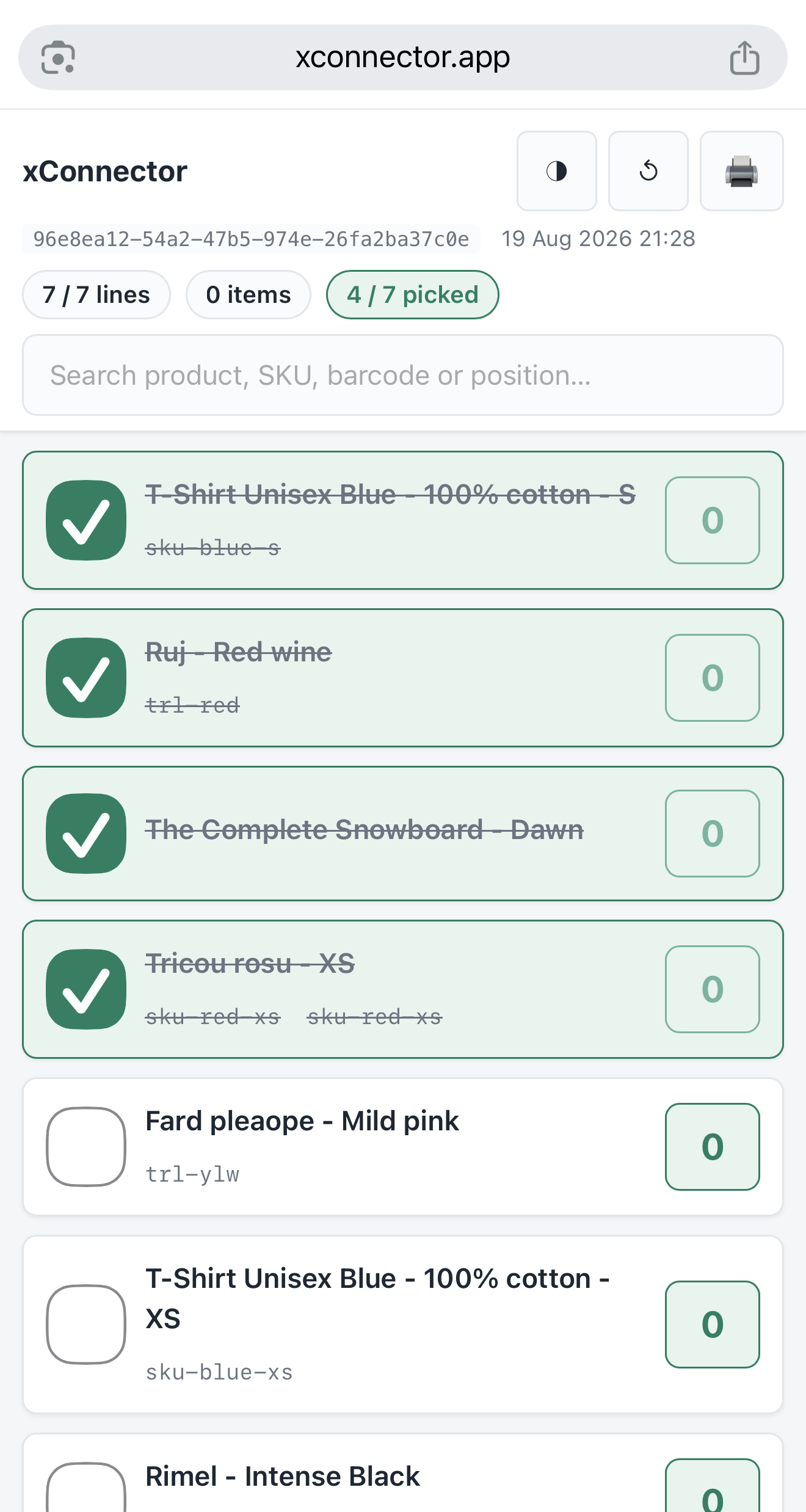
  • The QR code can be scanned using either a mobile phone camera or the xConnector app.
  • When the QR code is scanned with a mobile phone camera, the interface allows products to be checked off during the picking process.


    Picking list download from xConnector


Picking list scanned by phone camera


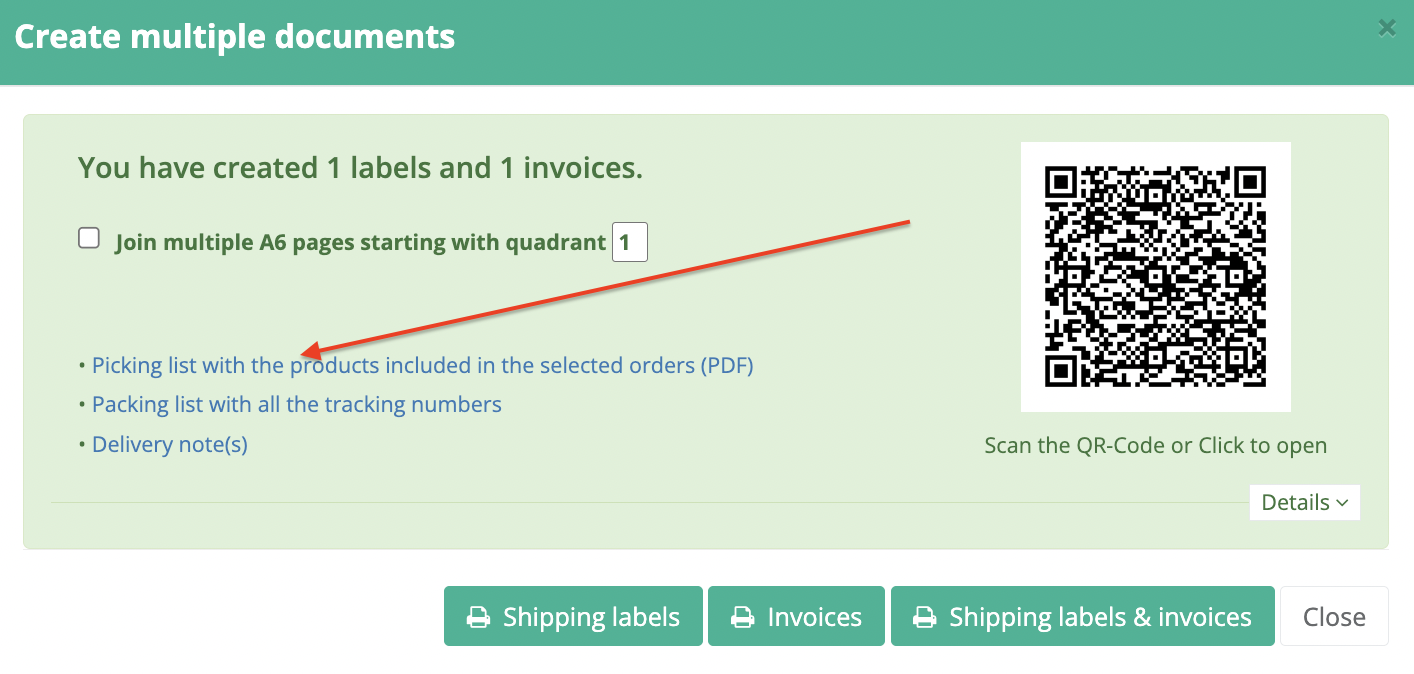
The picking list can be accessed in two ways:


  1. Directly from the BULK shipping label generation screen.
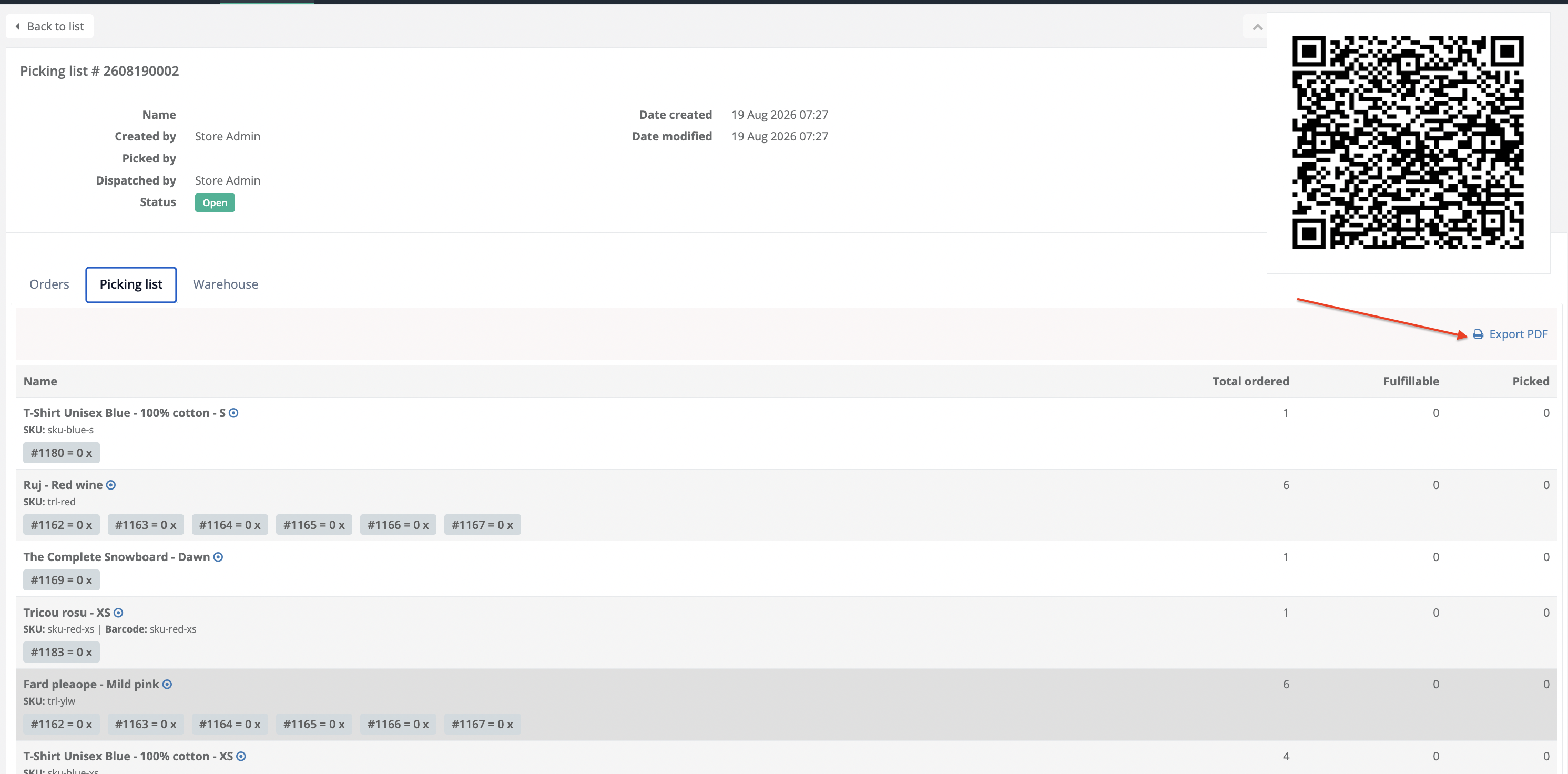
  2. From the Picking Lists section, if the automatic picking list feature is enabled 


To enable automatic picking list creation when you generate BULK shipping labels, go to:

xConnector → Profile → Preferences → Automation → Auto add orders to a picking list


When shipping labels are created using the BULK – Create documents option, xConnector can automatically save the processed orders into a picking list.

You can then go to:

Picking Lists → select the picking list → Export PDF


Was this article helpful?

That’s Great!

Thank you for your feedback

Sorry! We couldn't be helpful

Thank you for your feedback

Let us know how can we improve this article!

Select at least one of the reasons

Feedback sent

We appreciate your effort and will try to fix the article