Automatic Generation of MyGLS Shipping labels
This documentation describes how to configure the automatic generation of GLS Shipping labels through xConnector, using Shopify Flow, when different Shipping labels generation options are required (home delivery vs. locker delivery).
1. General conditions
In xConnector, only one MyGLS connector is required
In Shopify, two separate Flows must be created:
Flow for home delivery
Flow for locker delivery
In each Flow - Advanced configuration, GLS services can be configured exactly as in the Shipping generation interface in xConnector
GLS options are passed as boolean values (
true / false)The configuration script is saved in Shopify Flow → Advanced Configuration
Example: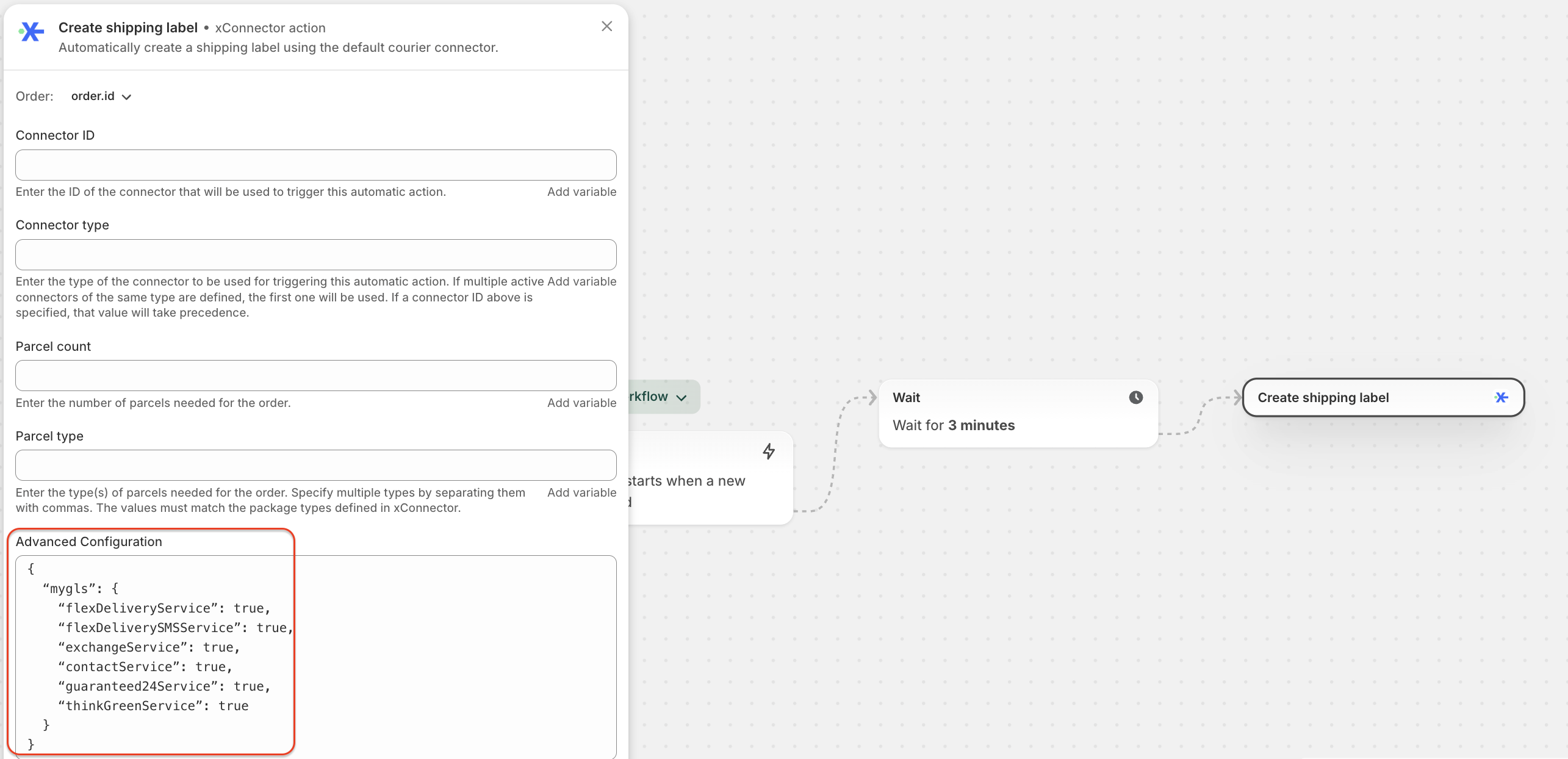
2. GLS AWB generation options
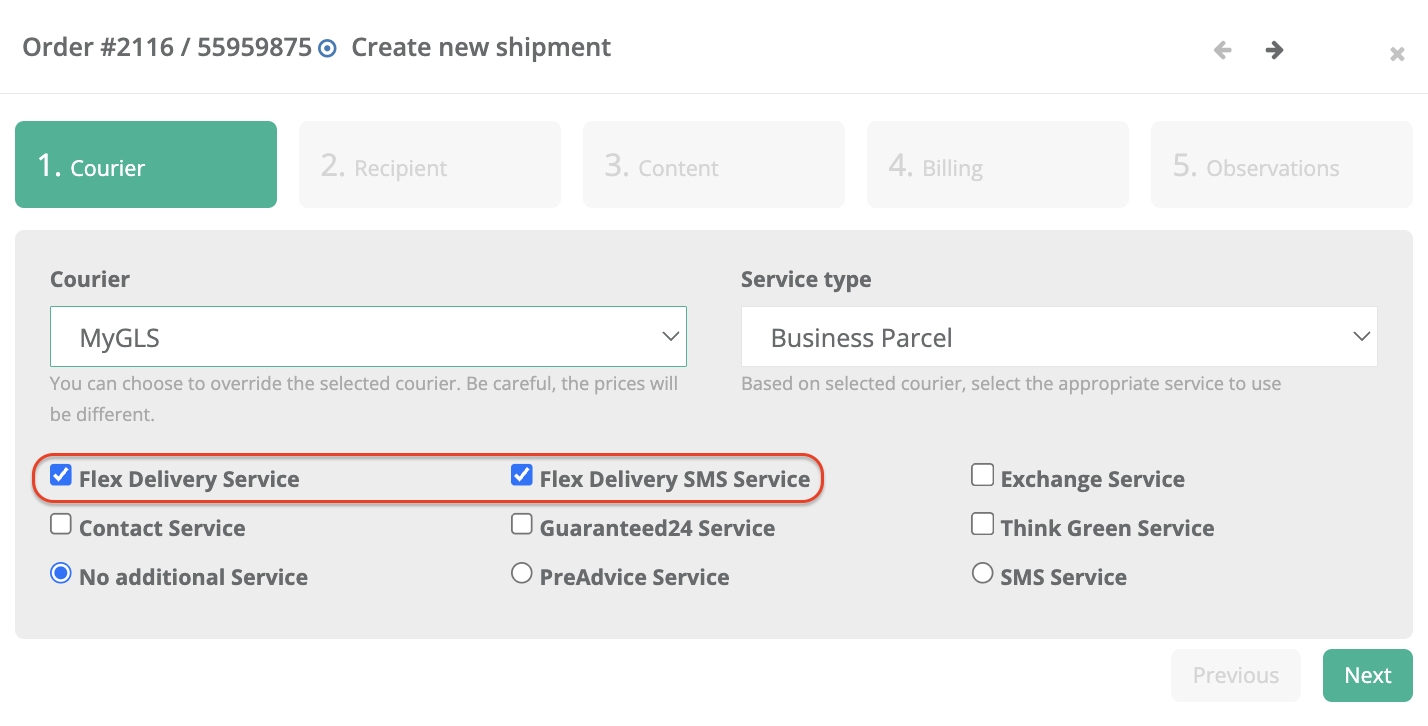
2.1 Home delivery
For home delivery, the following GLS services are used:
Flex delivery service →
trueFlex delivery SMS Service →
true
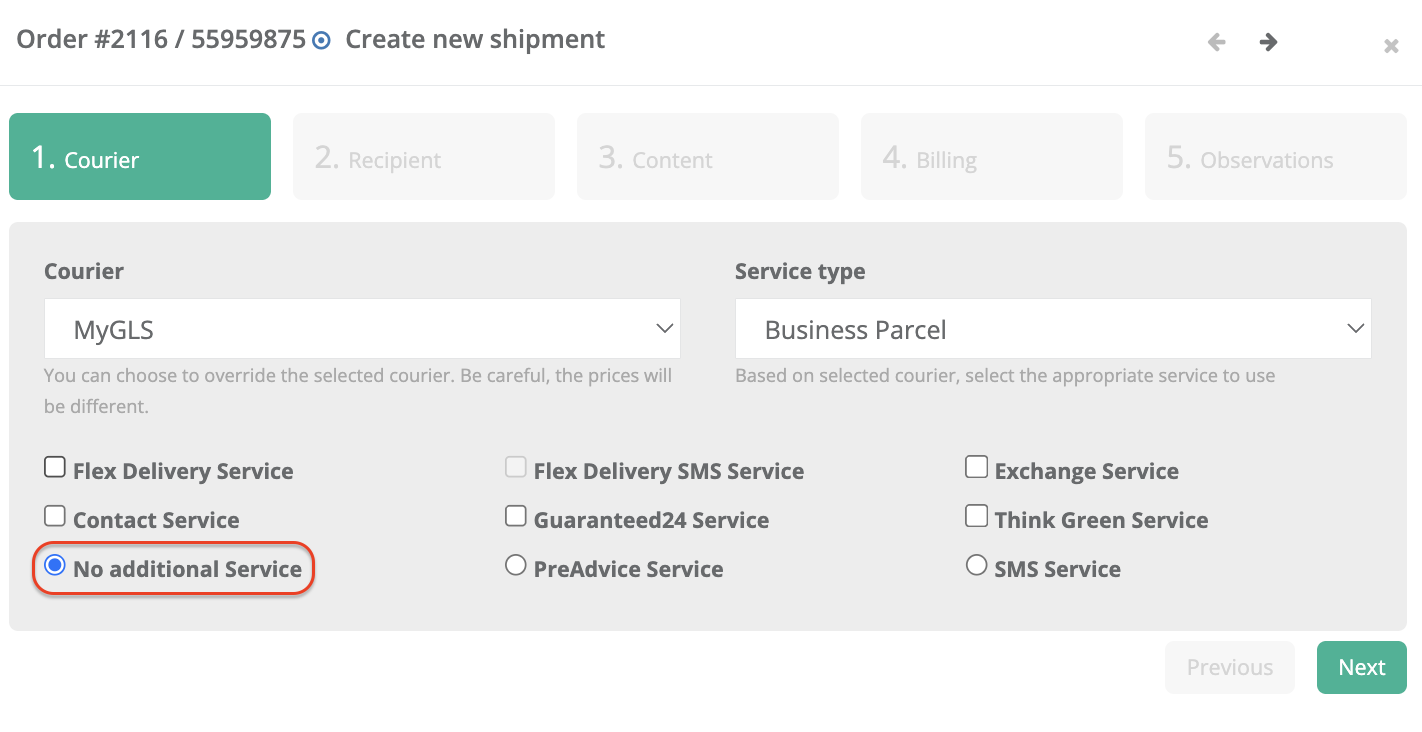
2.2 Locker delivery
For locker delivery, the following option is used:
No additional Service →
true
No other GLS additional services are enabled.
In the Flow, the same settings will be applied, but directly through the script (true or false)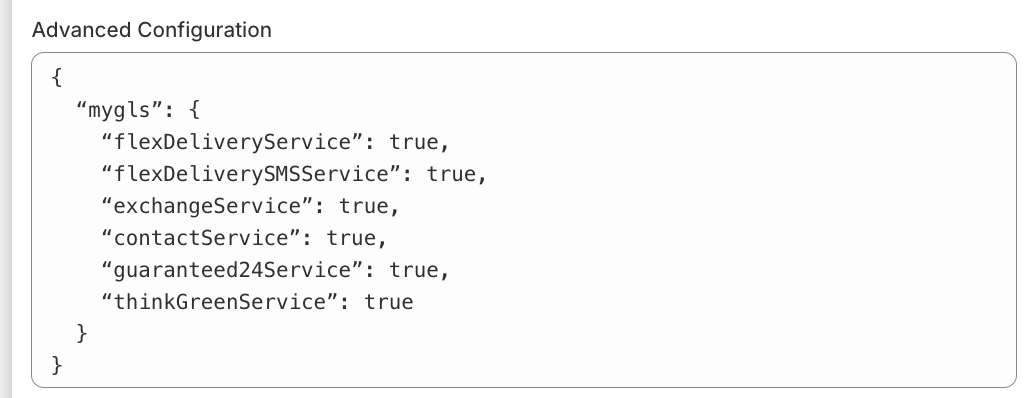
3. Shopify Flow configuration
3.1 Required Flows
In Shopify, two separate Flows must be created:
- Flow “GLS AWB Generation – Home Delivery”
- Flow “GLS AWB Generation – Locker Delivery”
Documentation for configuring Shopify Flows is available here:
https://xconnector.freshdesk.com/support/solutions/articles/103000315730-automatic-generation-of-the-documents
CASE 1: If shipping labels are generated only through the GLS connector, the default carrier is set in xConnector → Profile → Preferences → Automation.
CASE 2: If shipping labels are generated through multiple carriers, the default carrier must be removed in xConnector → Profile → Preferences → Automation, and the connector ID is specified directly in the Flow.
In xConnector, each connected carrier has a unique ID.
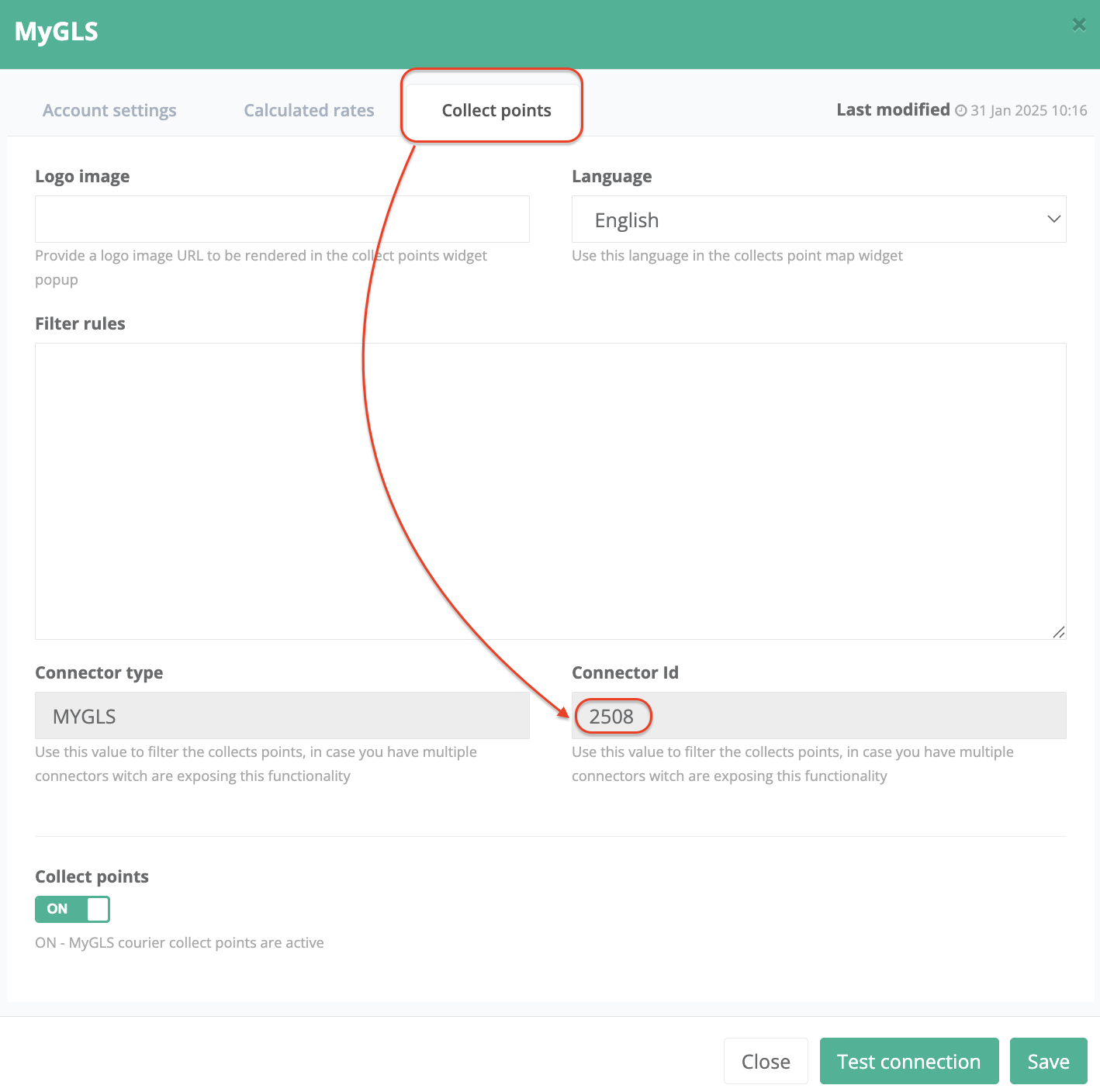
In the Flow, you can explicitly specify which connector the Flow should run with.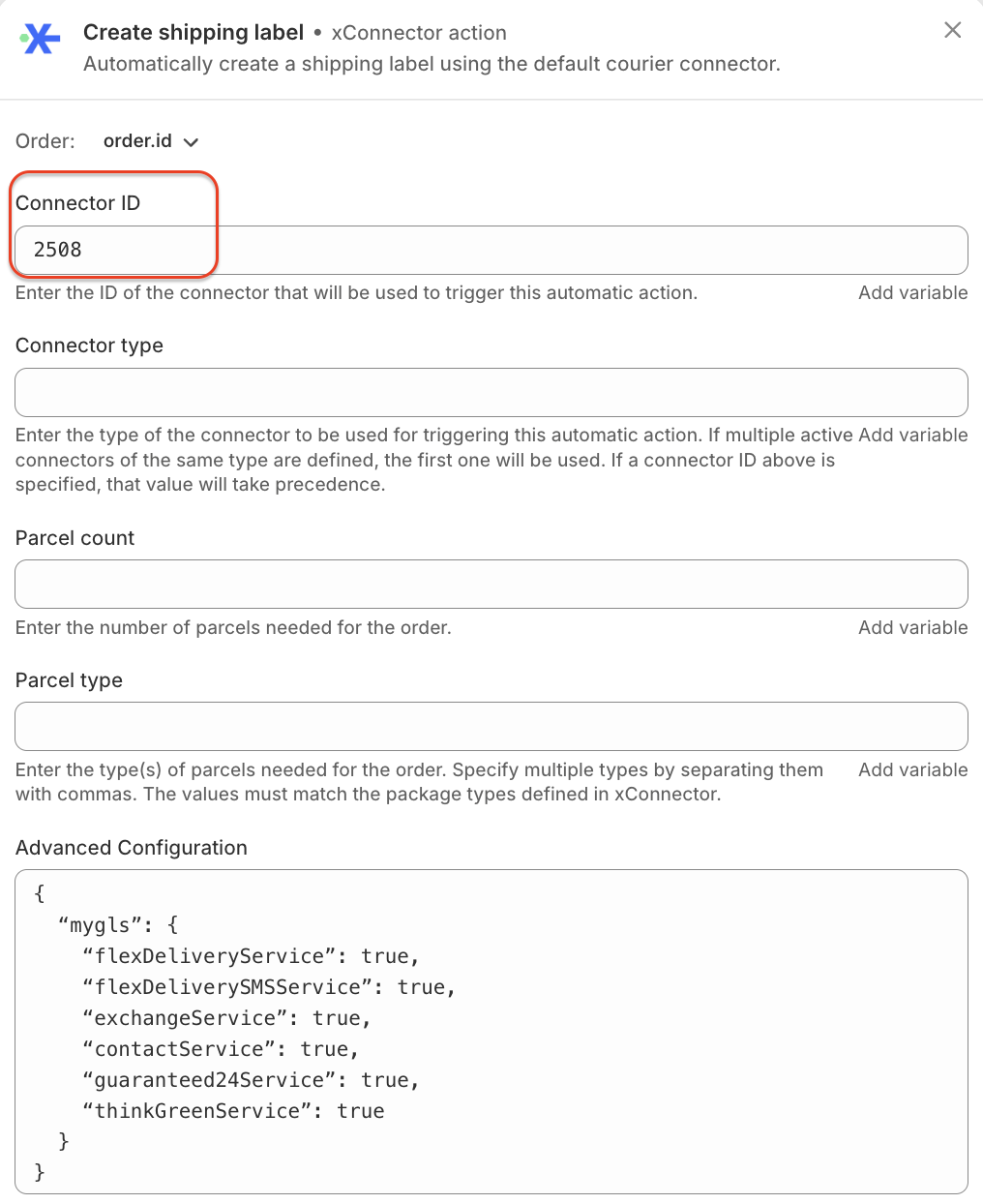
3.2 Advanced Configuration (Shopify Flow)
GLS services are configured in Shopify Flow → Advanced Configuration, where a JSON script containing the desired options is added.
Copy and paste this script and set true for the services you want to use when generating the shipping label.
You can enable or disable each MyGLS service by setting its value to true or false, depending on how you want the shipping label to be generated in the Flow.
This feature is available to Advanced planContact
Live Support Chat: blue icon in the bottom-right corner of the screen
Email: support@xconnector.app
Phone: (+4) 0373 747 991
Stay connected & follow us
YouTube: https://www.youtube.com/@-xconnector-app-
Facebook: https://www.facebook.com/xConnectorApp
Facebook group: https://www.facebook.com/groups/shopify.romania.xconnector
TikTok: https://www.tiktok.com/@xconnector.app
Was this article helpful?
That’s Great!
Thank you for your feedback
Sorry! We couldn't be helpful
Thank you for your feedback
Feedback sent
We appreciate your effort and will try to fix the article