Declared value
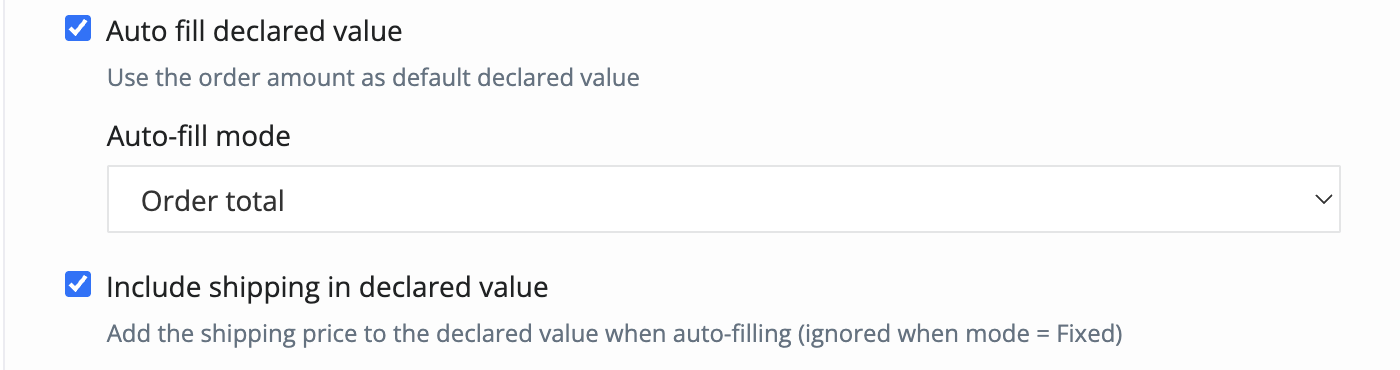
This setting controls how the declared value is automatically filled when generating a shipping label. The declared value is the shipment value sent to the carrier and can be used depending on the carrier service or delivery requirements.
You can choose one of the following auto-fill modes:
Order total
Uses the total value of the Shopify order as the declared value.
Fixed value
Uses the same fixed declared value for every shipping label, regardless of the order total.
Percentage of order
Calculates the declared value as a percentage of the Shopify order total.
Include shipping in declared value
When enabled, the shipping price is added to the declared value.
This option is ignored when the auto-fill mode is set to Fixed value.

Important:
The declared value may be used by the carrier for insurance, liability, or pricing purposes. If you declare a lower value than the actual value of the goods, compensation in case of loss or damage may be limited to the declared amount. Please make sure the selected value complies with your agreement with the carrier. For international shipments or customs documents, the declared value must reflect the actual commercial value of the goods.
Use it with caution: Fixed value - This option applies the same declared value to all shipping labels, regardless of the order value. By using this option, you confirm that the declared value is correct for your shipments and complies with your carrier agreement.
Contact
➡️ Need help with xConnector? We are just a message away:
Chat: click the blue chat icon (bottom-right)
E-mail: support@xconnector.app
Phone: +4 0373 747 991
➡️ Stay connected with xConnector:
Facebook group: https://www.facebook.com/groups/shopify.romania.xconnector
Facebook page: https://www.facebook.com/xConnectorApp
TikTok: https://www.tiktok.com/@xconnector.app
YouTube: https://www.youtube.com/@xconnector_app
Was this article helpful?
That’s Great!
Thank you for your feedback
Sorry! We couldn't be helpful
Thank you for your feedback
Feedback sent
We appreciate your effort and will try to fix the article