We have updated the VAT configuration screen for the SmartBill and Oblio invoicing services.
- There is now a dedicated tab for VAT settings
Please note that in xConnector, VAT settings only need to be configured in cases where you want to force a specific VAT rate for orders imported from Shopify without VAT being calculated. This option works only when a single VAT rate is used, not when multiple VAT rates are applied.
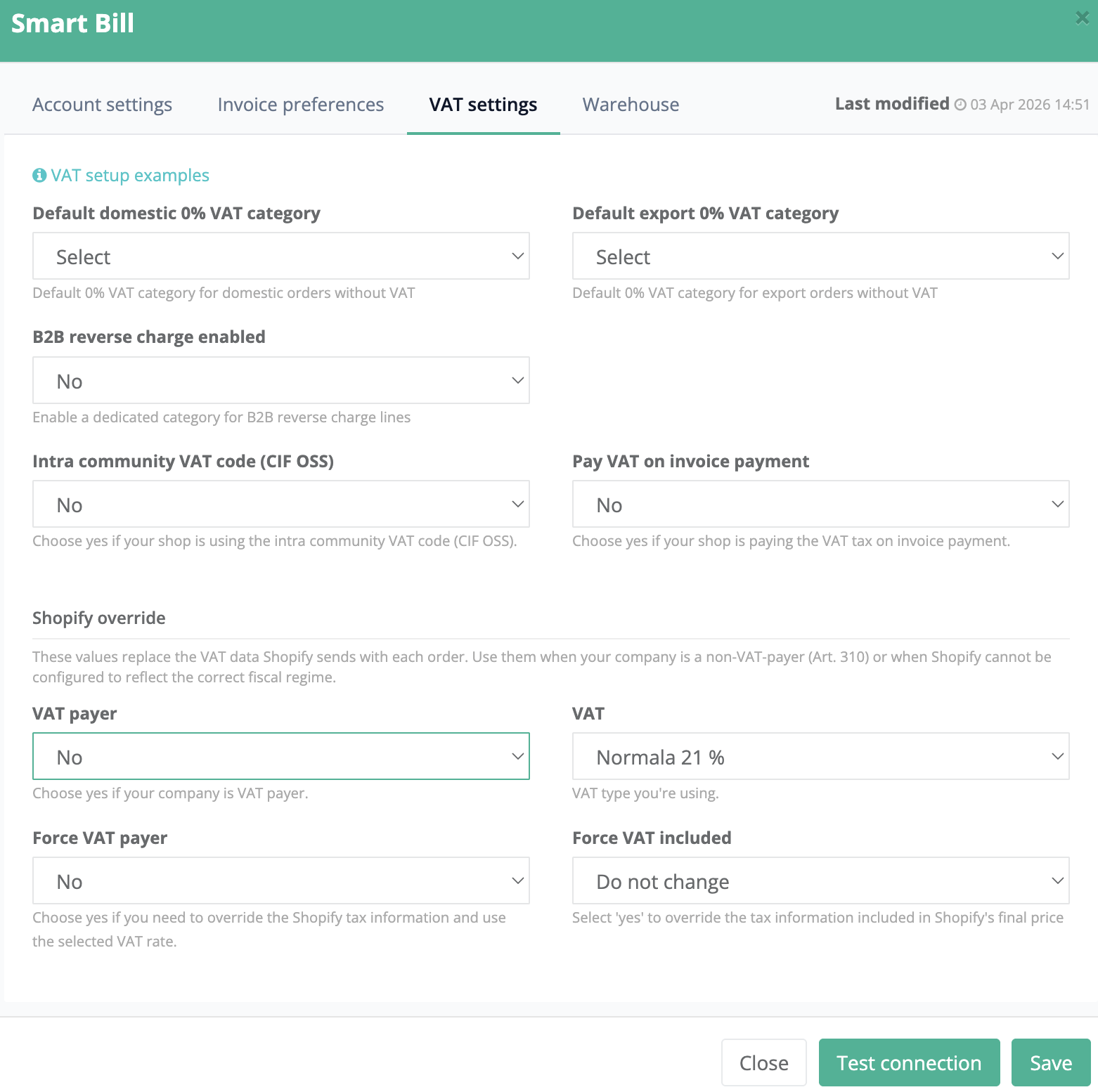
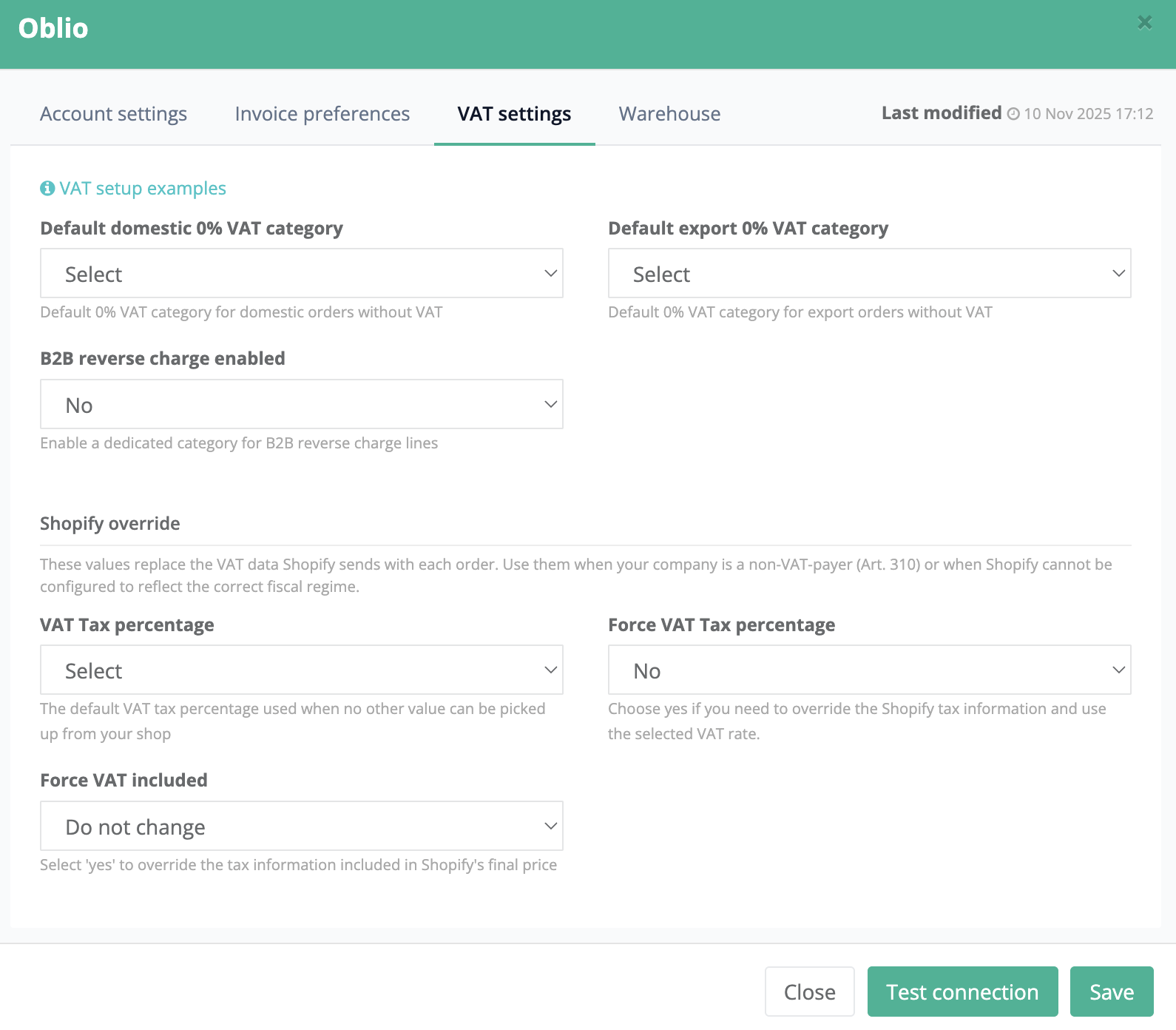
- Default domestic 0% VAT category
For cases where Shopify contains products taxed at 0% VAT, you can now set the desired default VAT category, such as SDD, SFDD, etc.
- Connection test improvement
When testing the connection, the existing configuration data is no longer reset.
Contact
➡️ Need help with xConnector? We are just a message away:
Chat: click the blue chat icon (bottom-right)
E-mail: support@xconnector.app
Phone: +4 0373 747 991
➡️ Stay connected with xConnector:
Facebook group: https://www.facebook.com/groups/shopify.romania.xconnector
Facebook page: https://www.facebook.com/xConnectorApp
TikTok: https://www.tiktok.com/@xconnector.app
YouTube: https://www.youtube.com/@xconnector_app
Was this article helpful?
That’s Great!
Thank you for your feedback
Sorry! We couldn't be helpful
Thank you for your feedback
Feedback sent
We appreciate your effort and will try to fix the article