Locker map - multiple shipping options and costs per courier
How it works
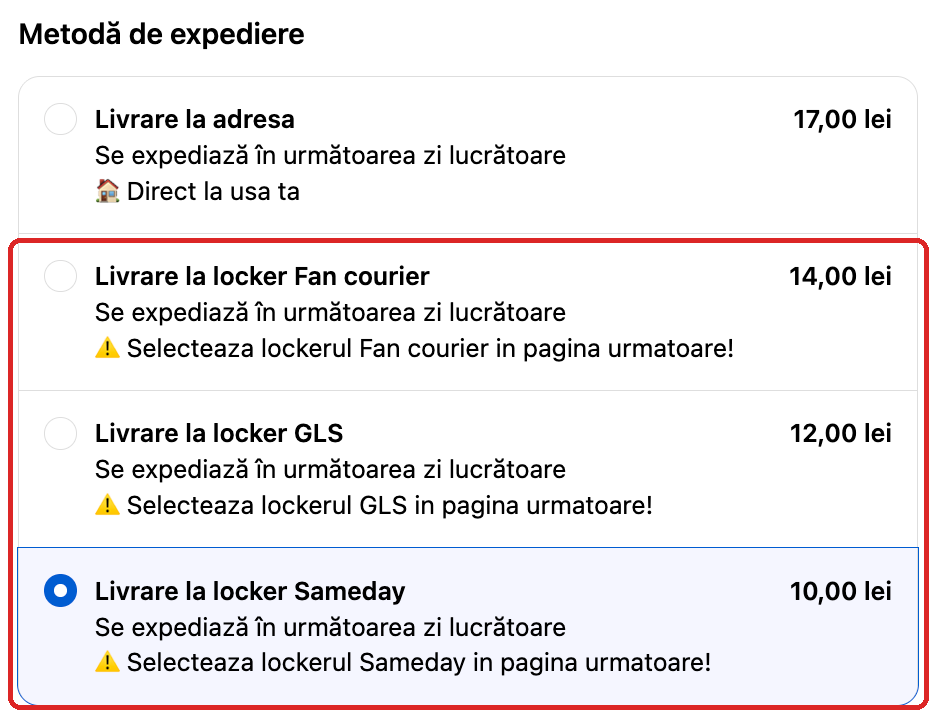
Step 1 – Checkout: the customer sees a separate locker shipping option for each courier, each with its own price, and chooses one, for example Livrare la locker Sameday.
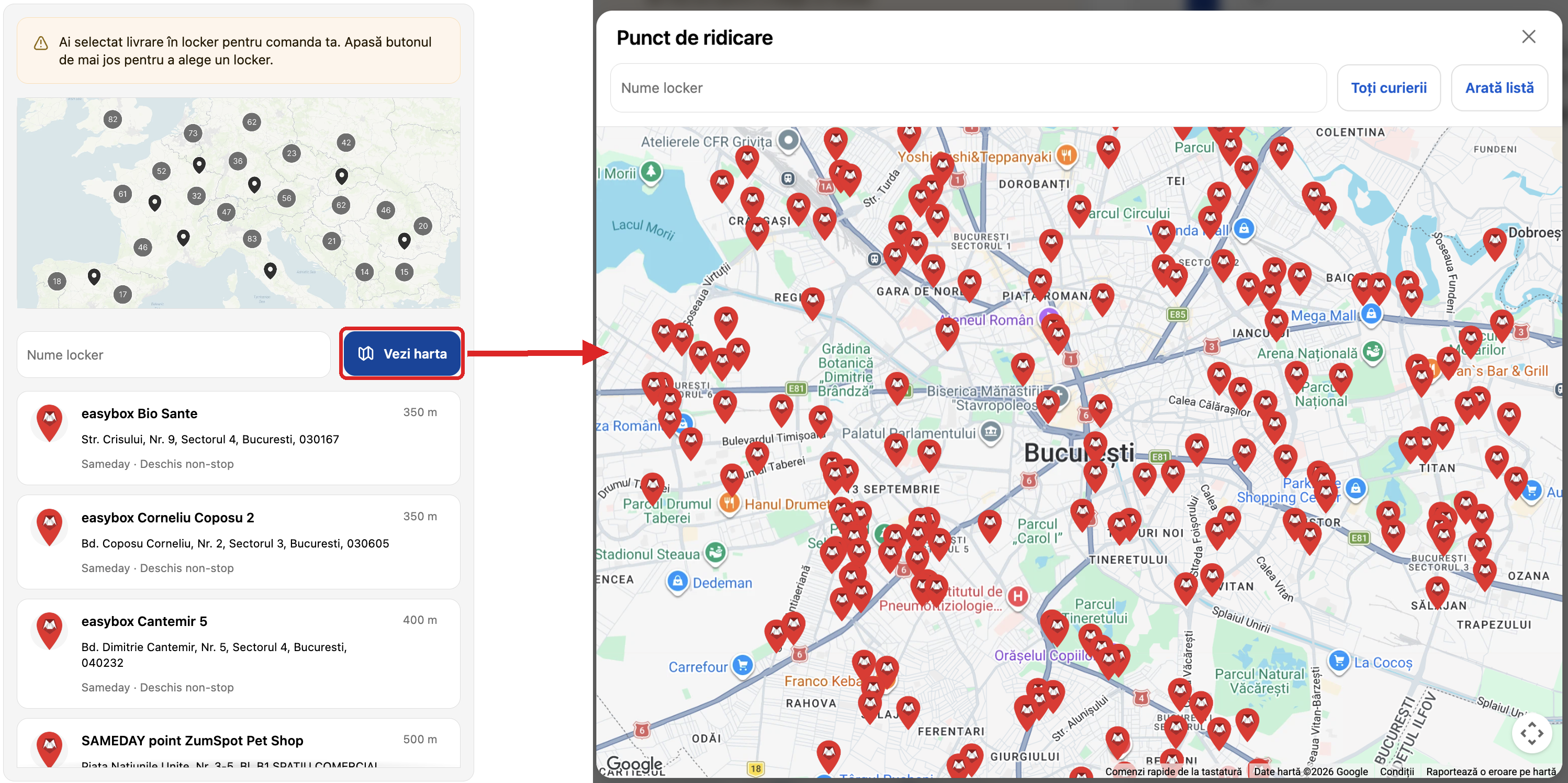
Step 2 – Thank you page: after the order, the list and the map (Vezi harta) show only the lockers of the chosen courier, here Sameday. The customer chooses a locker, and it is saved on the order. On the Order status page, the customer sees the chosen locker.
https://xconnector.freshdesk.com/support/solutions/articles/103000423168-locker-map-multiple-shipping-options-and-costs-per-courier
Was this article helpful?
That’s Great!
Thank you for your feedback
Sorry! We couldn't be helpful
Thank you for your feedback
Feedback sent
We appreciate your effort and will try to fix the article