Configuration
To connect the Innoship service in xConnector, go to:
xConnector → Profile → Connected Services → Connect a new service → Shipping labels → Connect a courier → Innoship
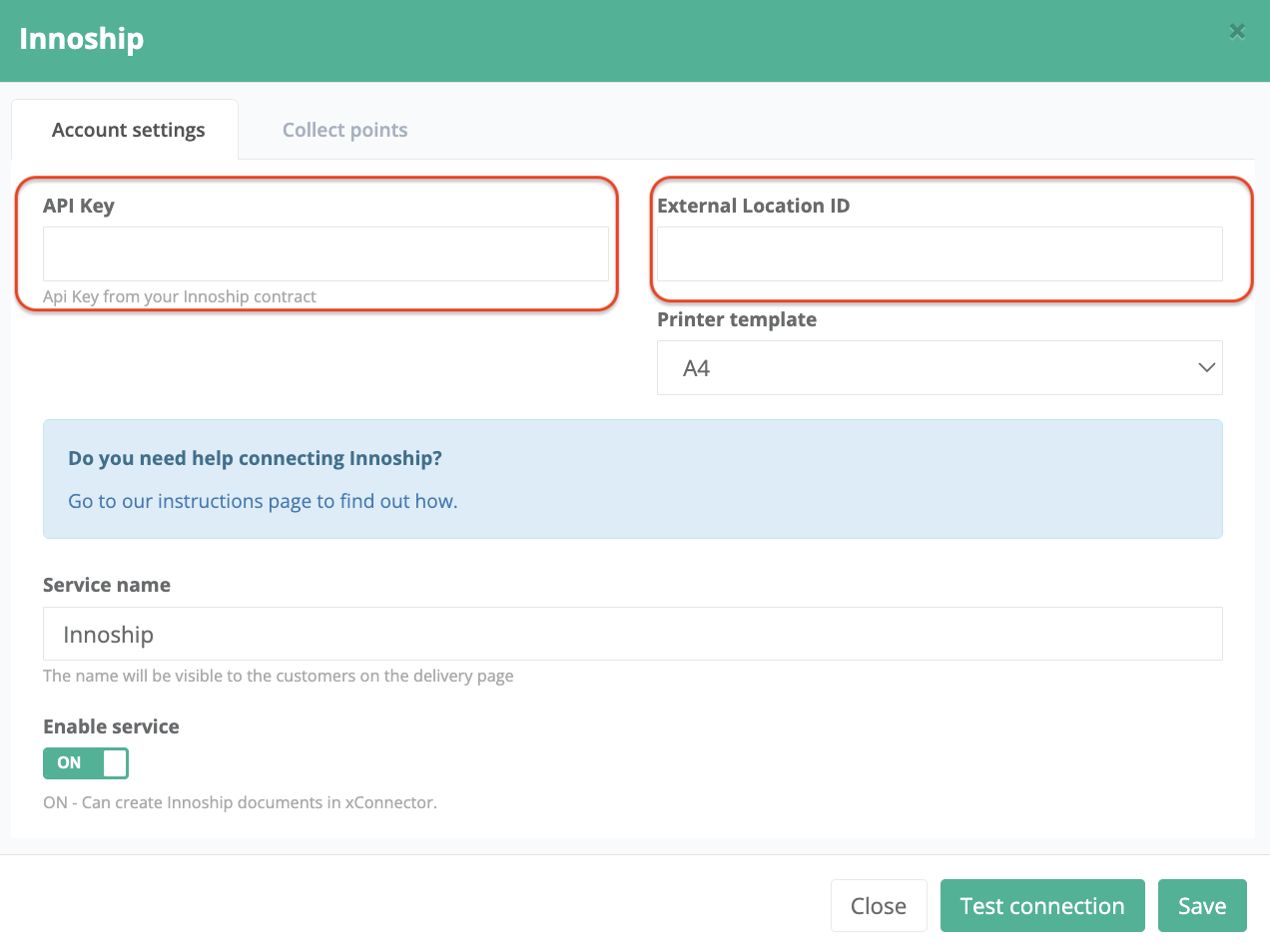
1. Fill in your credentials
2. Click on Test connection (you should receive a Connexions succesfull message)
3. Save
Now you are ready to generate Innoship shipping labels
Locker map and locker delivery
If you need to install the locker map and display lockers from the carriers activated in the Innoship platform, please follow the setup instructions below (V03)
https://xconnector.freshdesk.com/support/solutions/articles/103000015872-collect-points-lockers
Display the couriers on the map
Innoship is an aggregator for multiple courier services.
If you have activated the Innoship on the locker map, all Innoship lockers will be displayed by default.
If you need to display only certain lockers instead of all of them, you need to filter the lockers by creating a filter rule that specifies which courier’s lockers should appear.
Steps:
Go to xConnector → Profile → Connected services → Innoship → Collect points → Filter rules
Add the following code, replacing the value with the internal Packeta ID of the courier you want to show on the map:
Condition for 1 courier
Use this code if you use the Innoship service in xConnector to generate shipping labels for a single courier.
{
"logic": "AND",
"rules": [
{ "field": "courierId", "op": "EQ", "value": "xxxxx" },
{ "field": "serviceId", "op": "EQ", "value": "yyyyy" }
{ "field": "fixedLocationTypeId", "op": "EQ", "value": "zzzzz" }
]
}
-----------------------------------------------------------------
Condition for multiples couriers
Use this code if you use the Innoship service in xConnector to generate shipping labels for multiple couriers.
{
"logic": "AND",
"rules": [
{ "field": "courierId", "op": "IN", "value": ["xxxxx","yyyy"] },
{ "field": "serviceId", "op": "IN", "value": ["zzzzz","qqqqq"] }
{ "field": "fixedLocationTypeId", "op": "EQ", "value": "abcd" }
]
}
It is not mandatory to use all three parameters. You can remove the line with serviceId or fixedLocationTypeId if they are not needed.xxxxx, yyyyy,.....abcd - replace it with the internal Innoship ID of the courier
Atention! in this code only this caracter is accepted!
" After you copy and paste the code, make sure you don’t have this one.
”
List of internal IDs for Innoship carriers and services.
Courier IDs link
Feel free to contact us if you need any further information:
Chat: click on the blue chat icon (bottom-right)
E-mail: support@xconnector.app
Phone: +4 0373 747 991
Was this article helpful?
That’s Great!
Thank you for your feedback
Sorry! We couldn't be helpful
Thank you for your feedback
Feedback sent
We appreciate your effort and will try to fix the article