1. Account settings
To create GLS Ireland shipping labels, it is essential to connect the service to xConnector.
Here are the necessary steps:
Activate API Acces
Reach out to the GLS support team to activate the API access associated with your account.
Connect the GLS Online service in xConnector
xConnector - Profile - Connected Services - Connect a new service - Shipping labels - Connect a courier - GLS Ireland
A pop-up window will open, and you must fill in your credentials provided by the courier and already API activated.
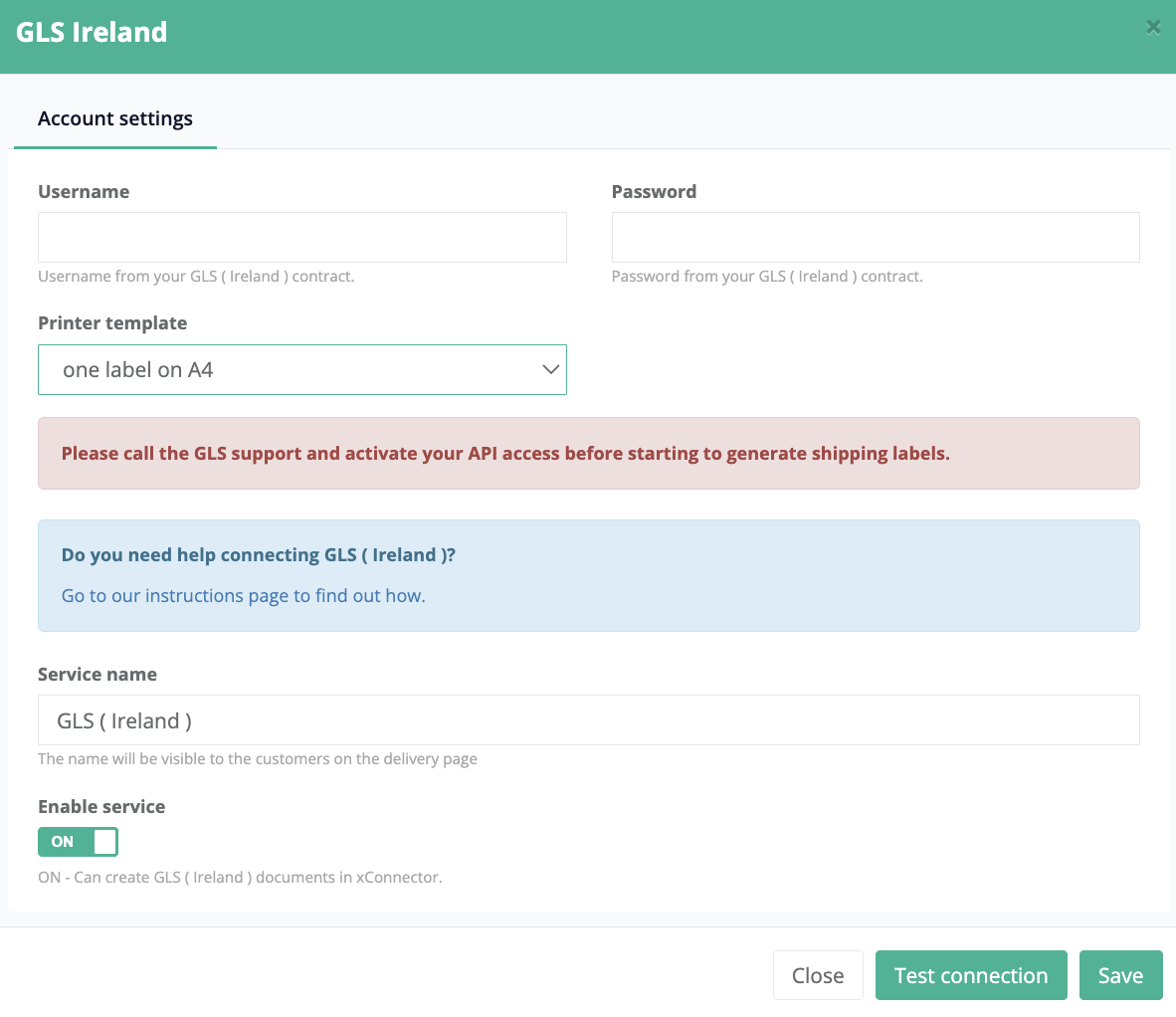
Step 1: Fill in your credentials
- Username
- Password
Step 2: Click on Test connection
If you get a successful message, then click on YES and then SAVE.
If you receive a Denied access message, then check your credentials again and repet Step 1 and Step 2
Address validation for Ireland
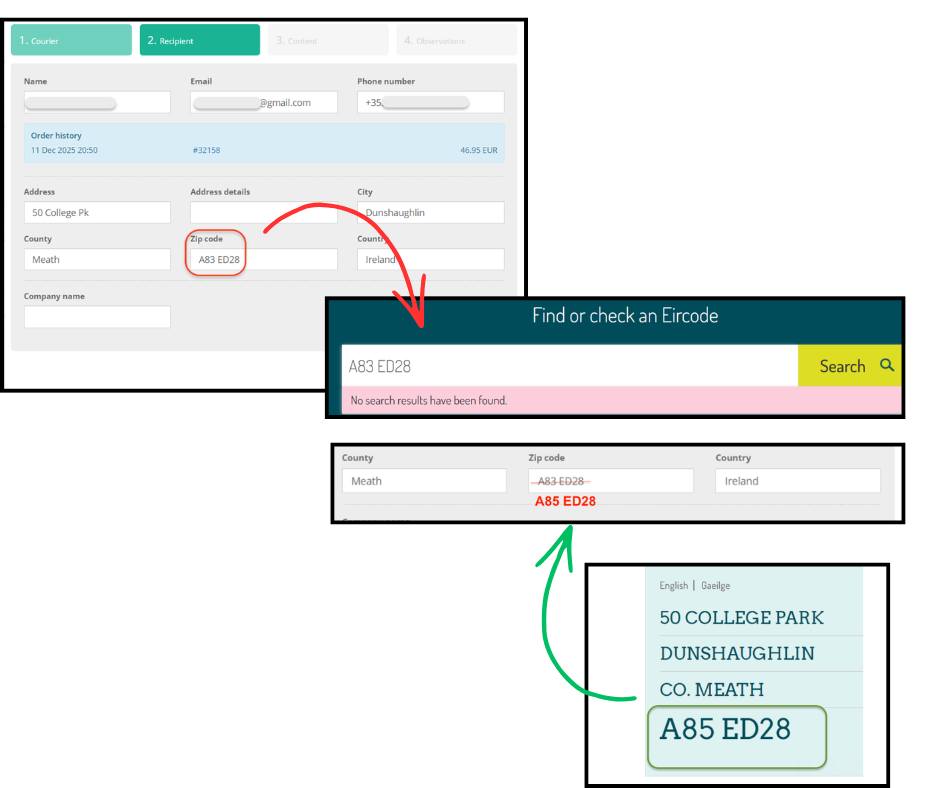
To generate shipping labels through GLS Ireland, it is very important that the delivery address is valid. If you receive an error when generating the shipping label, you can verify the official address directory for Ireland here:
Therefore, if the customer has entered an incorrect address, you can verify it on the official address website and then update it accordingly in the Recipient tab when generating the shipping label.
Was this article helpful?
That’s Great!
Thank you for your feedback
Sorry! We couldn't be helpful
Thank you for your feedback
Feedback sent
We appreciate your effort and will try to fix the article