Note: As this update was implemented yesterday, 15.03.2026, we recommend checking a sample of the shipping labels issued since then, as there may have been a temporary impact for a few hours, especially for stores using multiple fulfillments or third-party apps that automatically add extra fulfillments.
Shopify Multi-Location Fulfillment Support
xConnector now imports product location data from Shopify orders and can generate separate shipping labels (AWBs) for each fulfillment location.
What changed?
When an order contains products assigned to different Shopify locations, xConnector can now generate one shipping label for each fulfillment location, using the corresponding pickup address from Shopify.
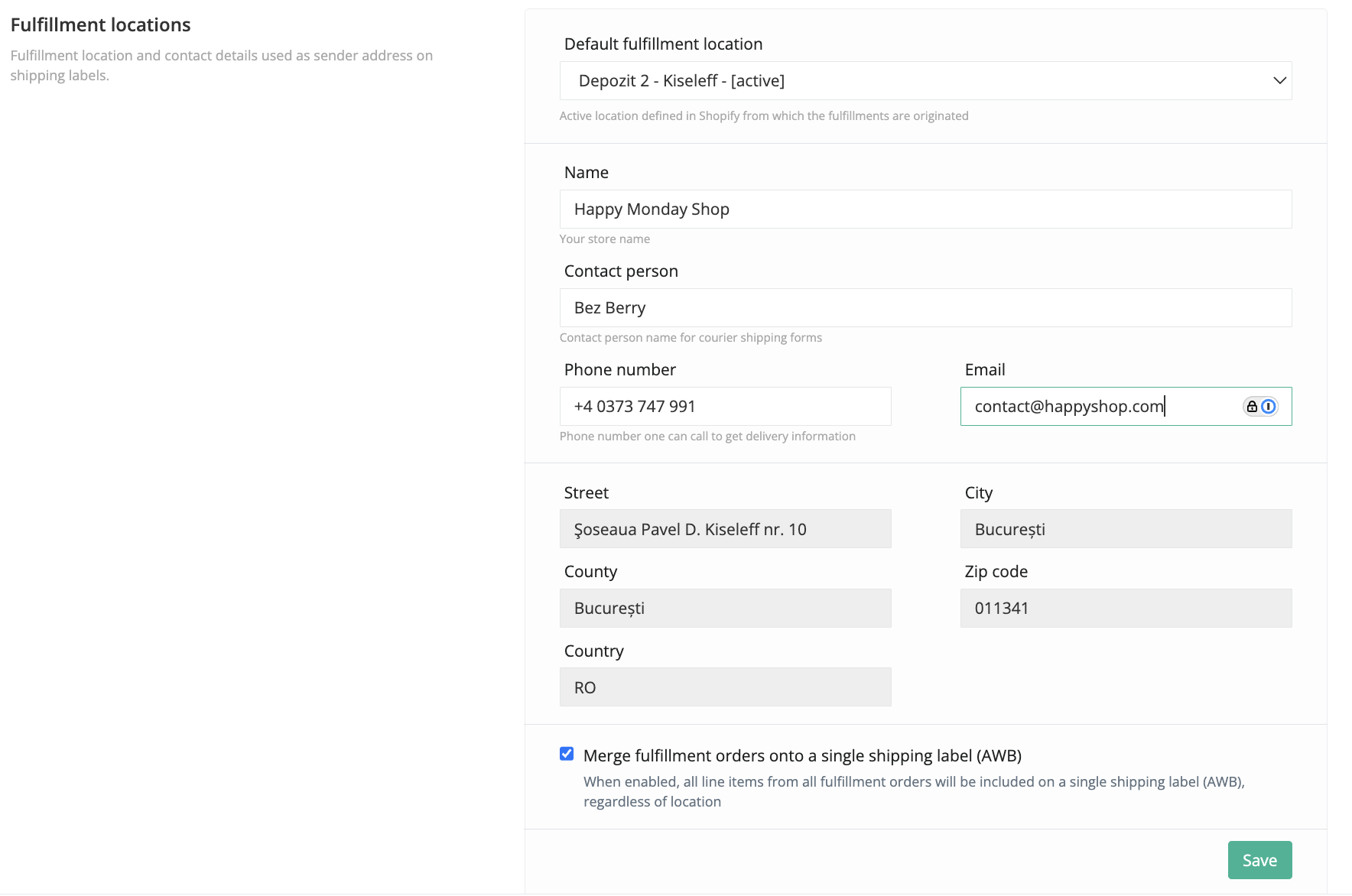
Settings
xConnector -> Profile -> Your Account -> Fulfillment locations
1. Default location
The default location used as the sender address on the shipping label.
2. Merge fulfillment orders onto a single shipping label (AWB)
Enabled (default): one shipping label is generated for the entire order, regardless of fulfillment locations
Disabled: separate shipping labels are generated for each fulfillment location, matching the way Shopify splits the order into fulfillments
How it helps?
1. Stores with a single fulfillment location are not affected by this update.
2. Stores with multiple fulfillment locations that disable the merge option can now generate shipping labels separately for each location.
Document generation behavior
1. Bulk documents generation
When using bulk generation:
shipping labels are generated automatically for each fulfillment location
the invoice includes all products from the order
2. Individual document generation
When using individual generation:
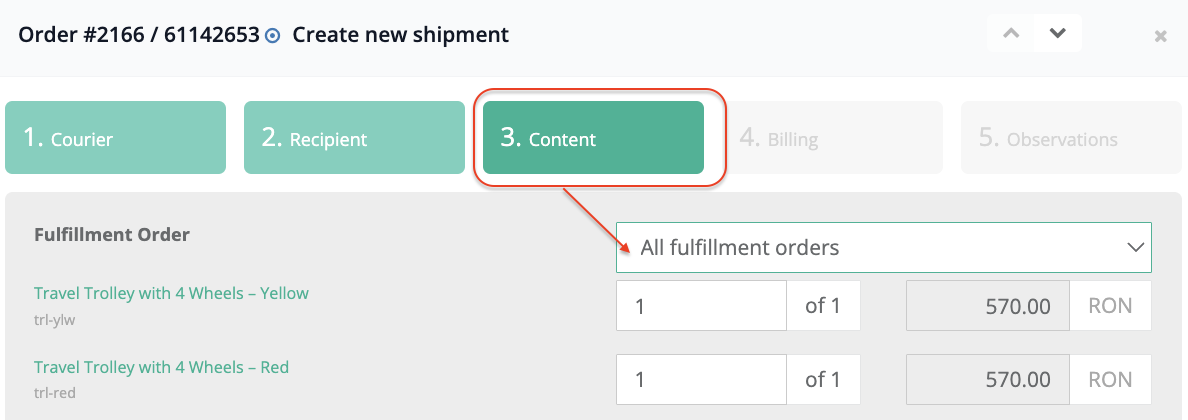
The fulfilment location can be selected in the Content step
The shipping label is generated only for the selected location
The invoice includes only the products from the selected fulfillment location
By default, the COD amount is handled separately for each fulfillment, while the shipping charge is automatically assigned to only one fulfillment when multiple fulfillments exist. If you want the shipping charge to be included on multiple AWBs, enable the Include shipping in COD option.
Example
Shopify order details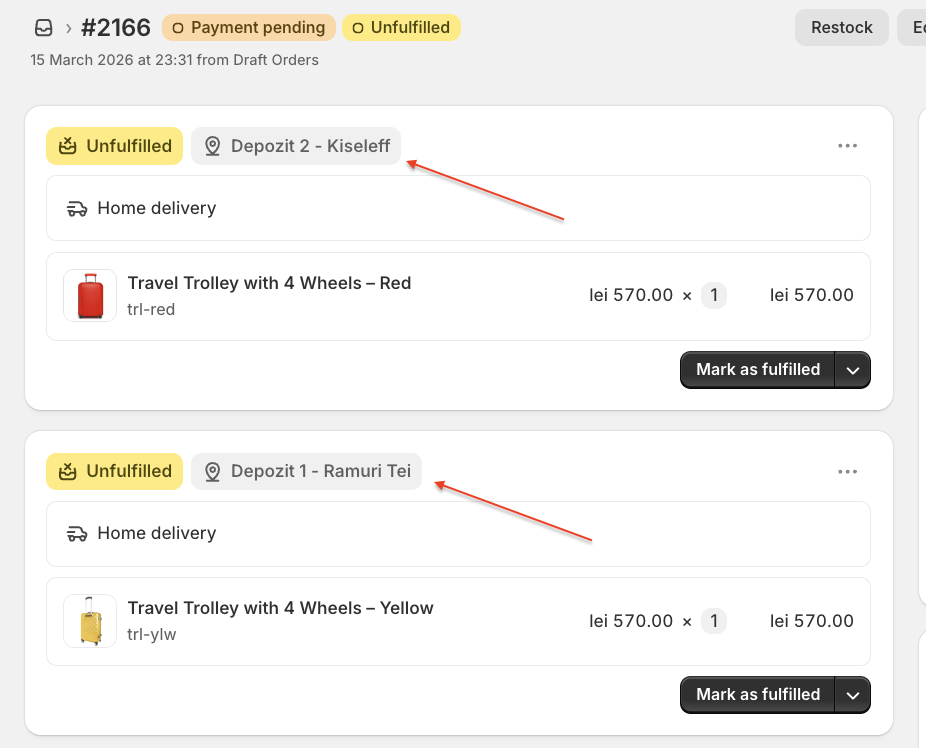
xConnector order details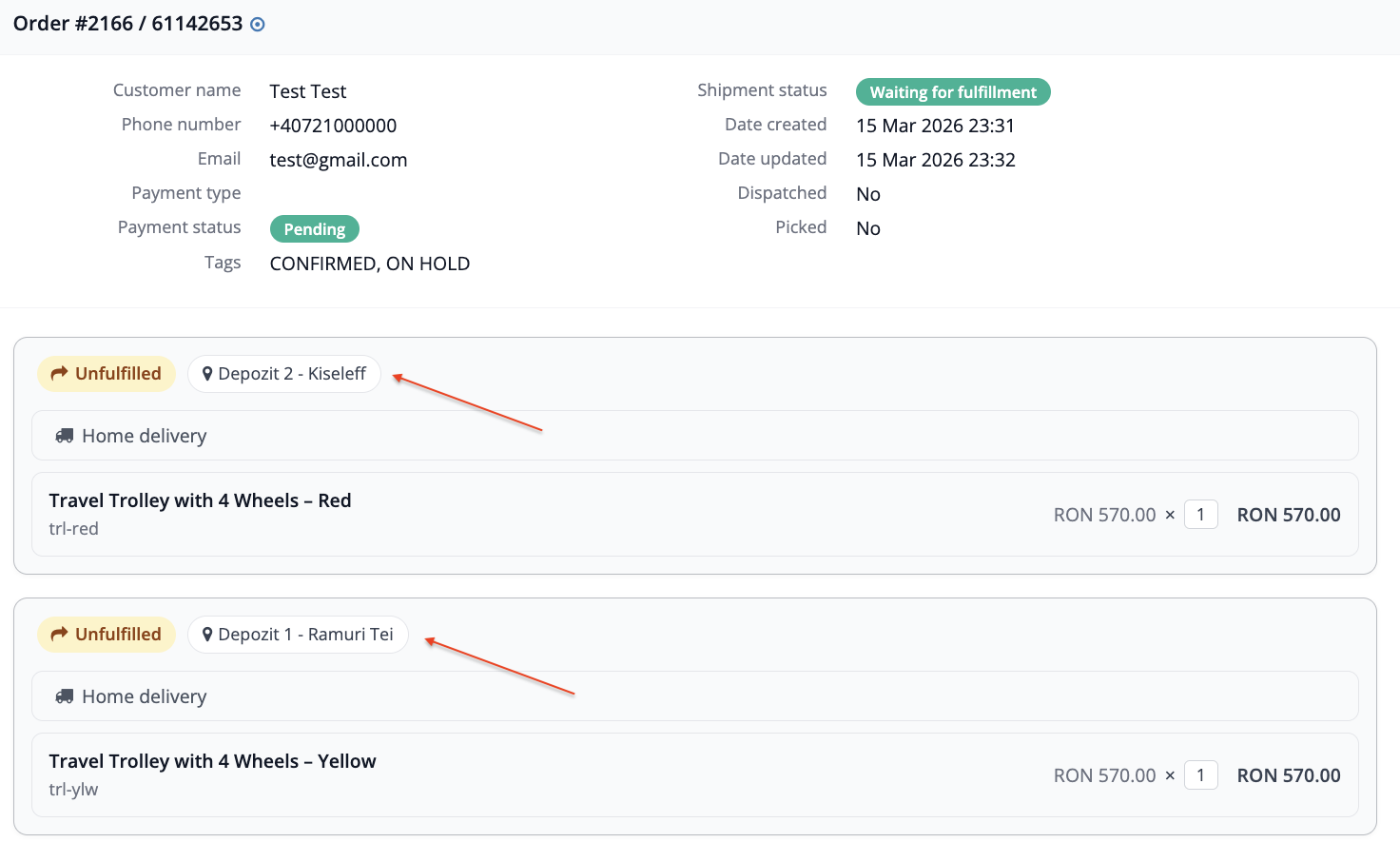
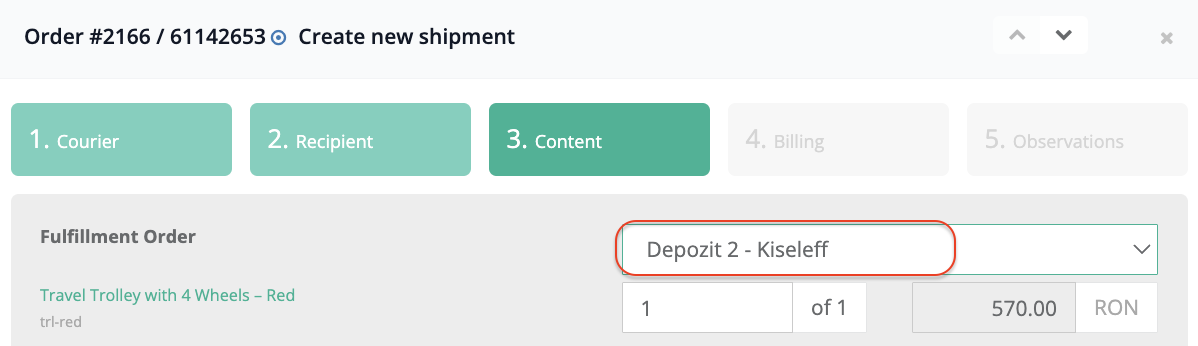
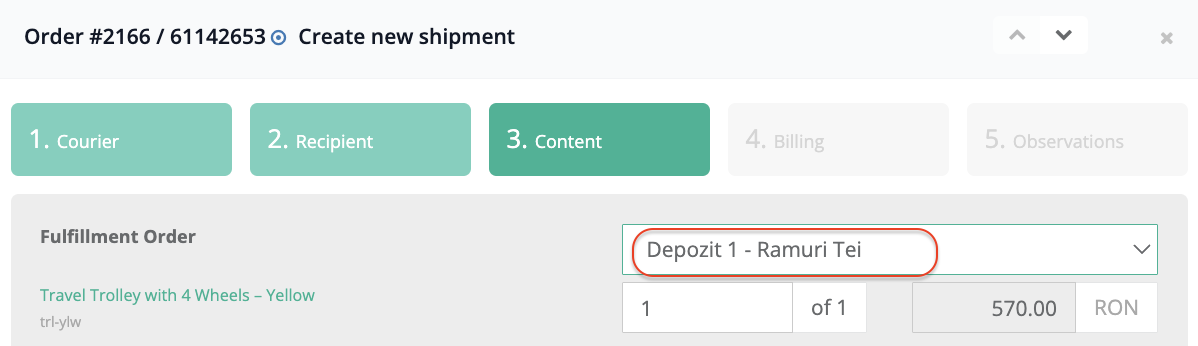
Important! verify your Shopify location addresses
The sender address is now taken from Shopify -> Settings -> Locations, not from xConnector.
Make sure each Shopify location includes the following details:
street
street number
city
county / state
postal code
phone number
Couriers affected by this rule
This rule applies to the following couriers:
Allpacka, Curiera, DHL, DPD Hungary, DPD Si+Hr, Econt, ECourier, GLS, GLS Ireland, GLS Poland, Innoship, Magyar Posta, Memex, MyGLS, Packetery, Parflex, PBH, Posta Romana, Postis, PPL, PPL DHL, Speedex, Speedy BG.
Couriers not affected
Couriers that use a sender ID or pickup location configured in the courier portal are not affected by this change:
Bookurier, BRT Corriere, DPD Austria, DPD Czechia, DPD Romania, DragonStar, Fan Courier, GLS Italy, Helpship, Nemo Courier, Sameday, Urgent Cargus.
Final step
After updating your Shopify location details, close xConnector and reopen it from:
Shopify -> Apps
Was this article helpful?
That’s Great!
Thank you for your feedback
Sorry! We couldn't be helpful
Thank you for your feedback
Feedback sent
We appreciate your effort and will try to fix the article