Table of contents
- Set up the Flow
- Waiting time
- The store email
- The customer email
- Customer email language
- Can I change the email text?
When a customer chooses locker delivery, they sometimes place the order and close the page without choosing a locker. A Shopify Flow can email the customer a link to the map, and inform the store, automatically.
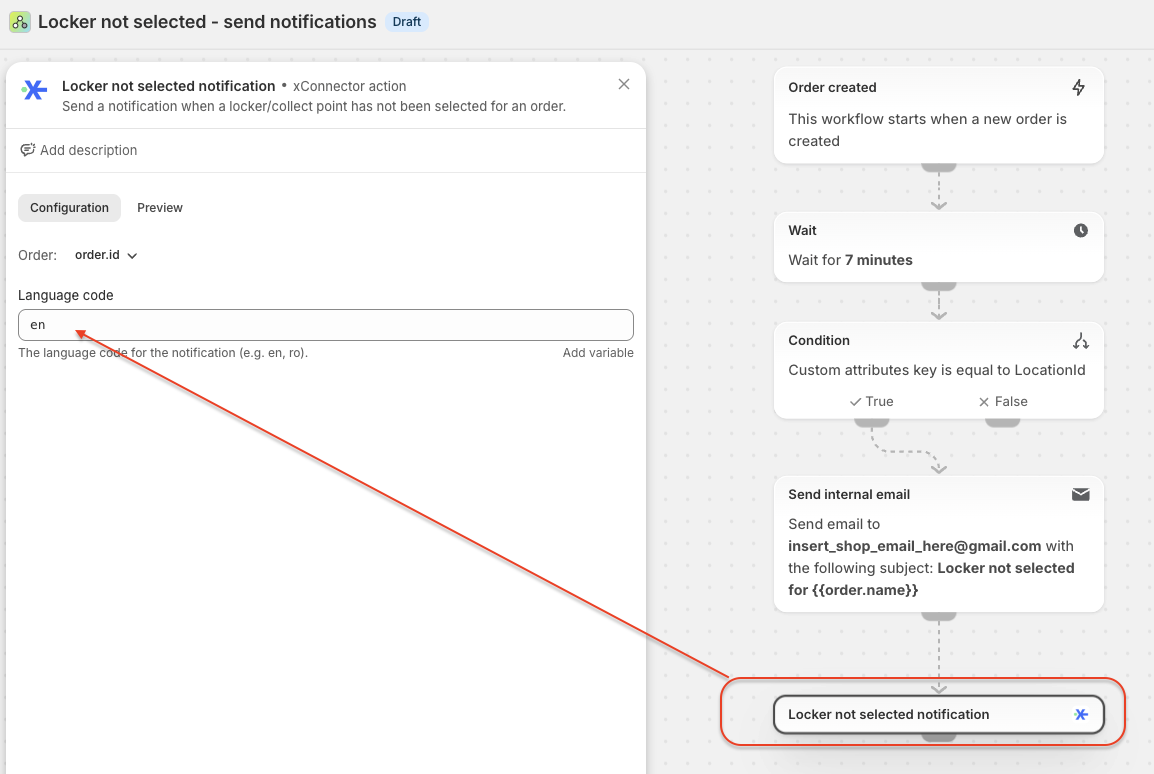
This is the first thing to set up. A Shopify Flow checks every order placed with locker delivery. If the customer does not choose a locker within a set number of minutes, the Flow sends two emails:
- to the customer, with a direct link to the Order status page, where the map opens and they can choose the locker;
- to the store, for information, so you know which order has no locker.
You can keep both emails, or keep only one and delete the other from the Flow.
Set up the Flow
- In Shopify, go to Apps > Flow.
- Import the Flow and turn it on. Download it here: Locker not selected - send notifications.flow
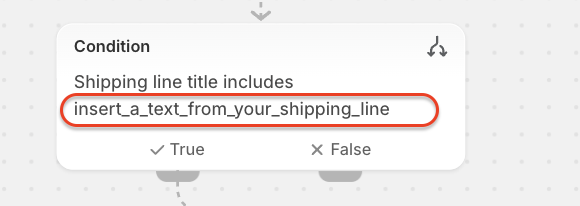
- Edit the Flow and update two things: a text from your locker shipping line, and the store email address.
What to modify?
a. A text from your locker shipping line. The Flow uses it to recognize only the orders with locker delivery. Replace insert_a_text_from_your_shipping_line with a keyword from the name of your locker shipping method. For example:
- the shipping line is Locker delivery: enter Locker;
- the shipping line is Livrare la Easybox: enter Easybox.
b. (optional) The store email address. Enter the address (or addresses) where the store should receive the notification.
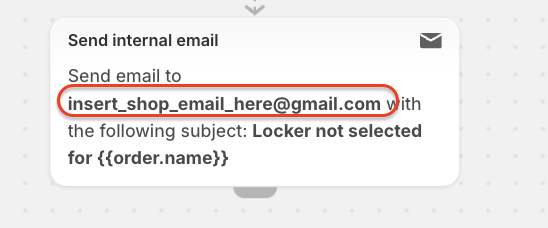
If you don't need these emails, delete this action from the Flow. The customer will still receive their email
-------------------
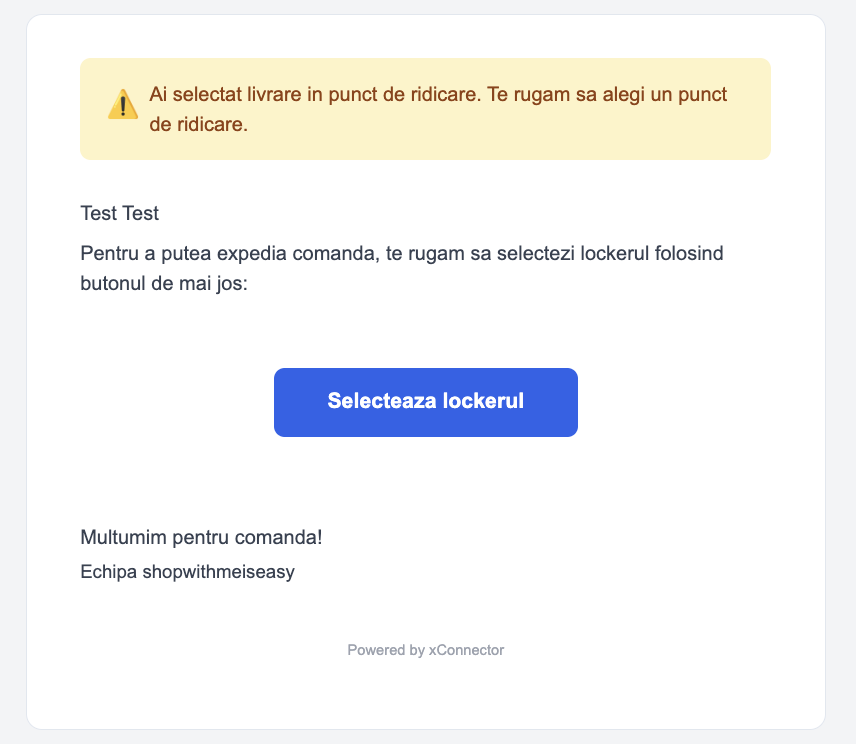
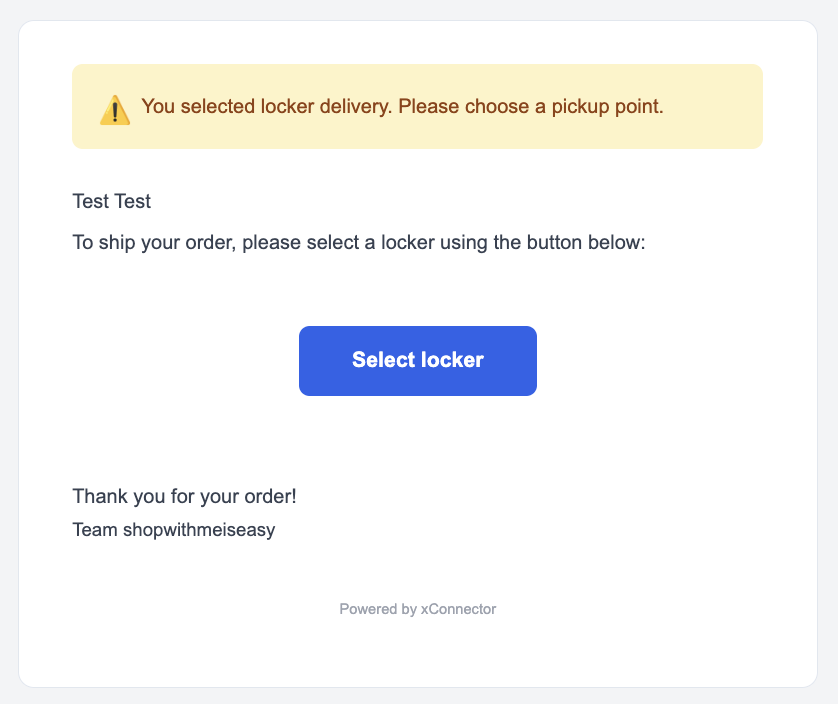
Example of the email customer receives when no locker is selected
The customer receives an email with a direct link to the Order status page, where they can choose the locker. It is sent through the xConnector server, to the email address on the order.
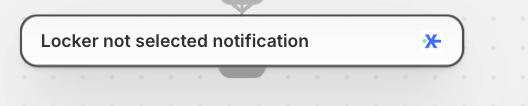
This is the Flow action for this email
-------------------
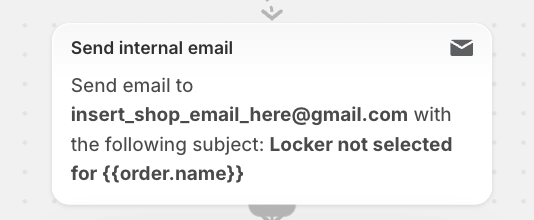
Example of the email the store receives when no locker is selected
If you keep the action for internal email: the store receives an email for every locker delivery order without a locker after the waiting time. It is for information only and is sent through the Shopify server.
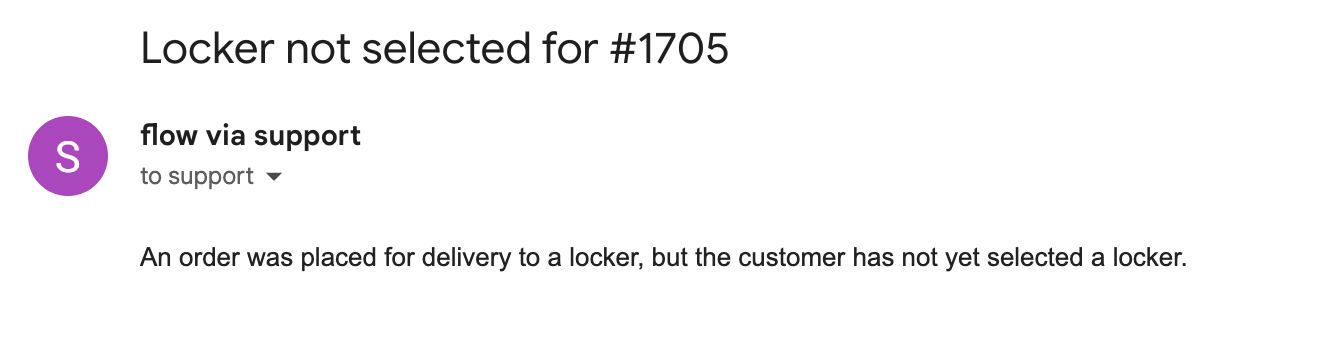
This is the Flow action. Enter the store email address where you want to receive the notification:
-------------------
Customer email language
Edit the Flow and select the customer email action.
If the language field is empty, the language follows the country of the shipping address: an order from Romania gets the email in Romanian, from Hungary in Hungarian, from Italy in Italian.
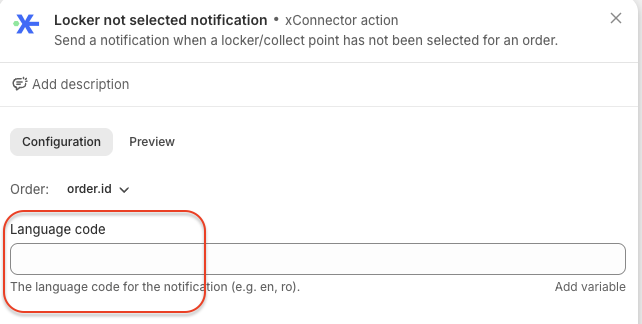
If you fill in the language field, the email is sent in that language. Enter a language code, for example ro, en or bg. Each action takes one language code, so add one action for each language you want to control.
Can I change the email text?
Not at the moment. It is a standard informational email sent by xConnector to the email address on the order.
⚠️ Important: always test the Flow after you set it up.
Place test orders and check that the notification is sent only when it should be:
- Locker delivery, no locker chosen: after the waiting time, the customer and the store receive the email.
- Locker delivery, locker chosen: no email is sent.
- Delivery to an address: no email is sent.
If the email does not arrive, or arrives for address orders, check the text from your locker shipping line in the Flow condition.
Useful articles
- Locker map - check orders without a locker
- HOLD locker orders - RELEASE only when a locker is selected
Subscription plan
This feature is available on the xConnector Advanced plan.
Need help?
Our team is here to help. You can contact us:
- Chat: directly from your xConnector account or on about.xconnector.app
- Email: support@xconnector.app
- Phone and WhatsApp: +40 373 747 991
- Website:about.xconnector.app
Was this article helpful?
That’s Great!
Thank you for your feedback
Sorry! We couldn't be helpful
Thank you for your feedback
Feedback sent
We appreciate your effort and will try to fix the article