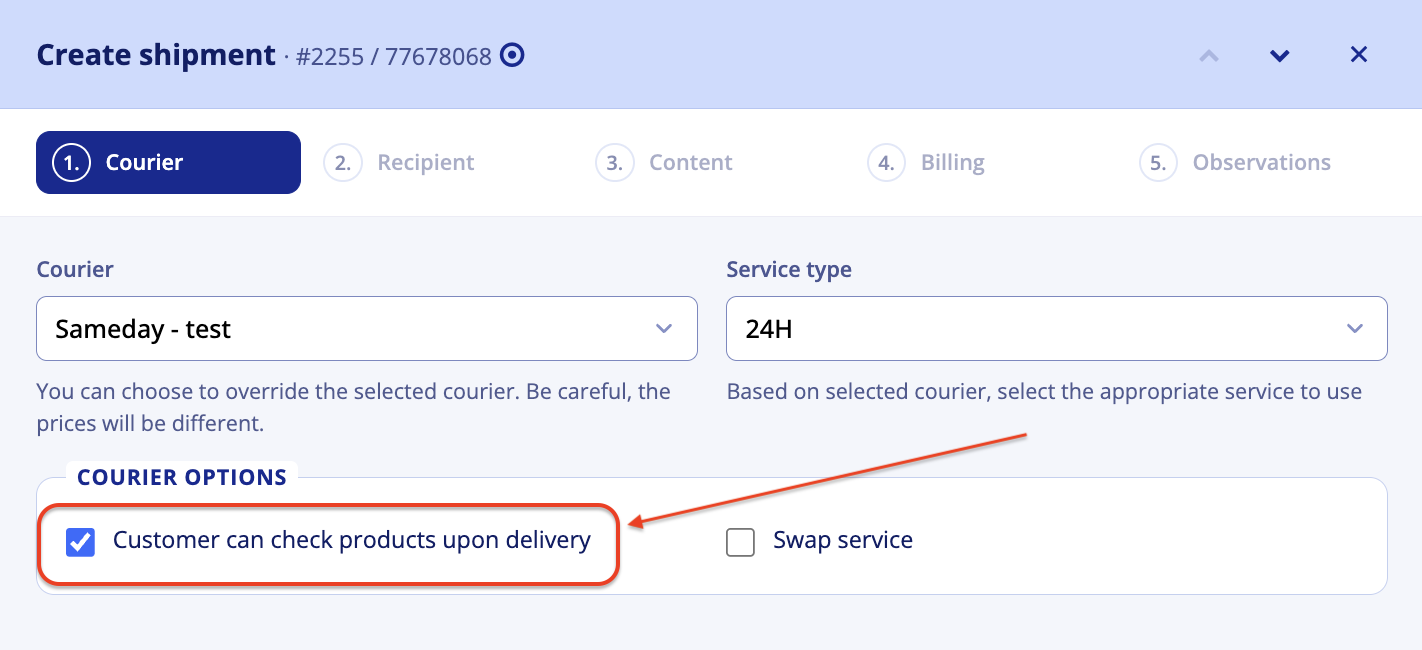
If you offer the extra service as Open Package at Checkout, you can configure xConnector to automatically enable the "Customer can check products upon delivery" option when generating shipping labels (AWBs).
This means you no longer need to manually select this option for each shipment.
This option applies only if the courier offers the Check Products Upon Delivery service and this is implemented in xConnector
How it works:
Set up the service SKU: Assign a unique SKU to the extra service offered at Checkout.
Configure the Shopify metafield: Create the specific order metafield required by xConnector.
Automatic detection: The Flow identifies orders containing the service SKU and automatically adds the metafield to those orders.
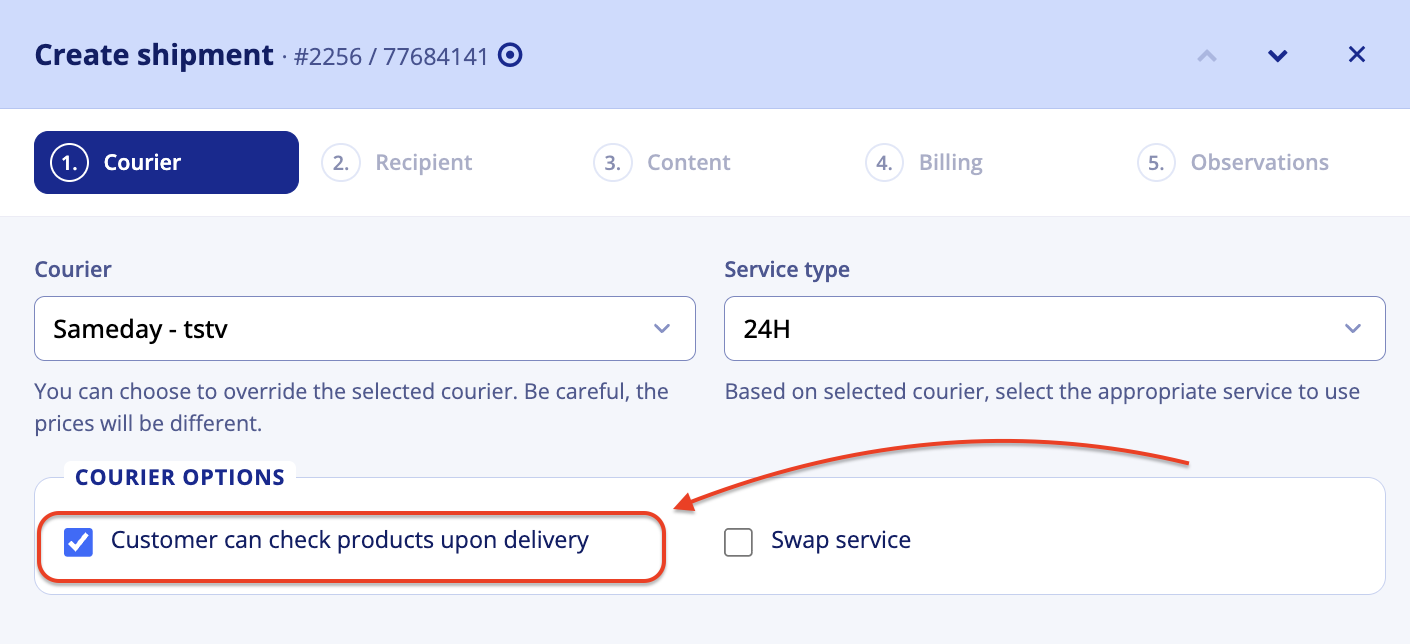
Automatic AWB configuration: When xConnector detects this metafield on an order, it automatically enables the Open Package option when generating the shipping label.
Important: Make sure you enter the exact SKU used for the extra service at Checkout. Otherwise, the app will not recognize the service and the option will not be enabled automatically.
*The same flow applies to the Swap service.
The only difference is the metafield used, which is:
Name: swap-service
Name space: xconnector.swap-service
Type: True or false
Follow the steps below to enable the automation
Shopify settings
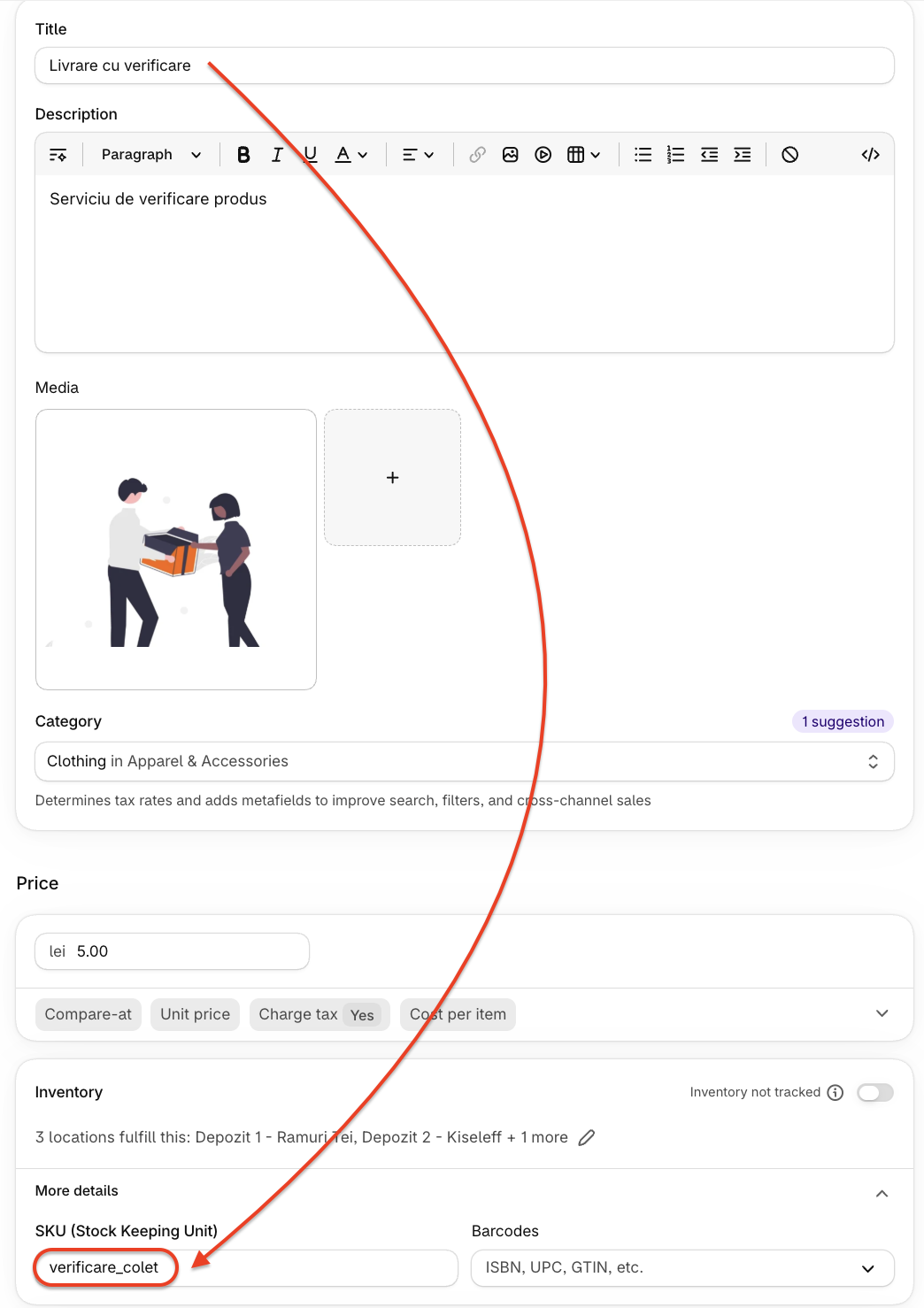
1. Define a SKU
In Shopify, save a specific SKU for the "Check on Delivery" service offered on your website. Example: verificare_colet
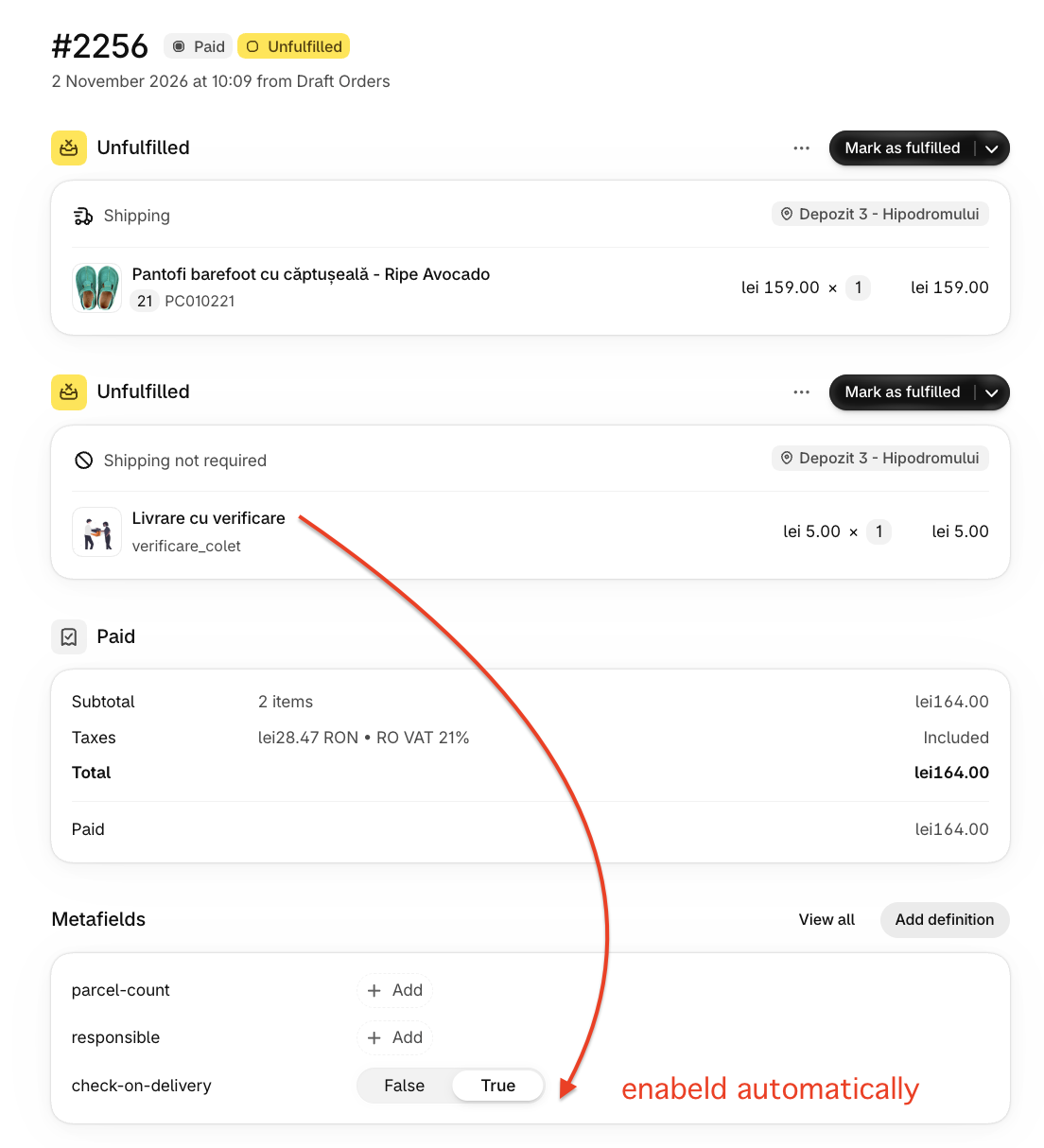
In the example below the SKU for this service is verificare_colet
You can add whatever other SKU you wish.
2. Add a specific Metafield
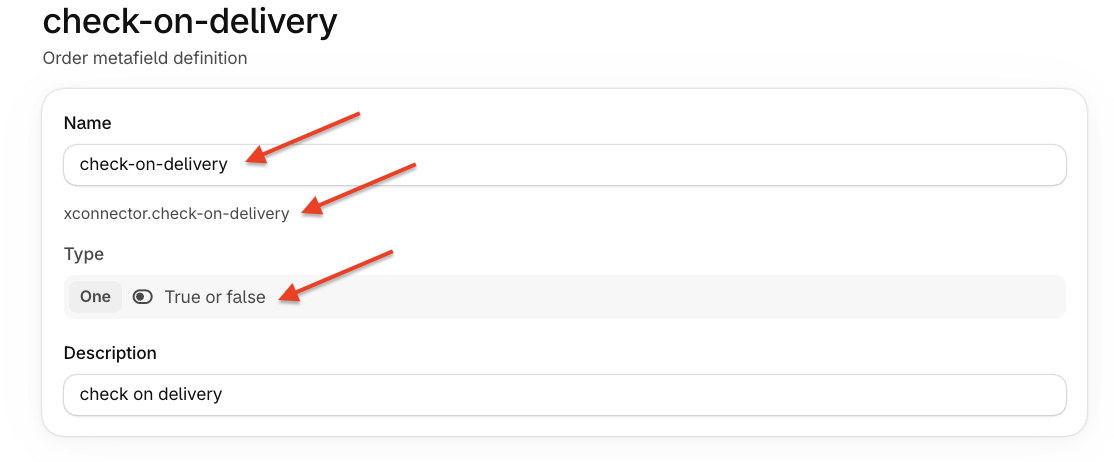
Shopify > Settings > Metafields and metaobjects > Orders > Click on Add Definition
Add the metafield according to the data below and click Save.
Name: check-on-delivery
Name space: xconnector.check-on-delivery
Type: True or false
The same flow applies to the Swap service.
The only difference is the metafield used, which is:
Name: swap-service
Name space: xconnector.swap-service
Type: True or false
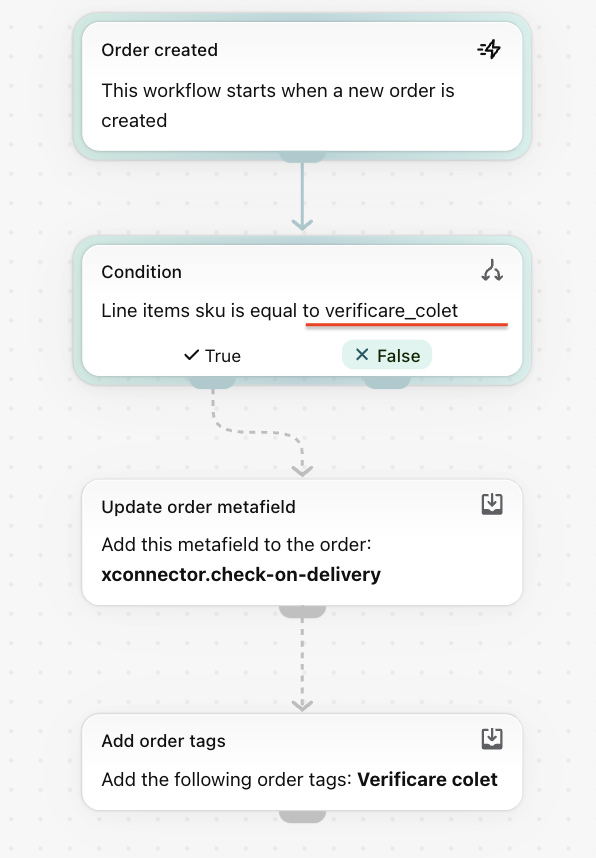
3. Import the FLOW and Fill in your own SKU for extra service
Go to Apps > Flows
Import and activate the attached flow.
Fill in the SKU exactly for the service Customer can check products upon delivery (in my example the SKU is verificare_colet ).
Optional: you can keep the tag adding on the order or you can delete it
xConnector settings
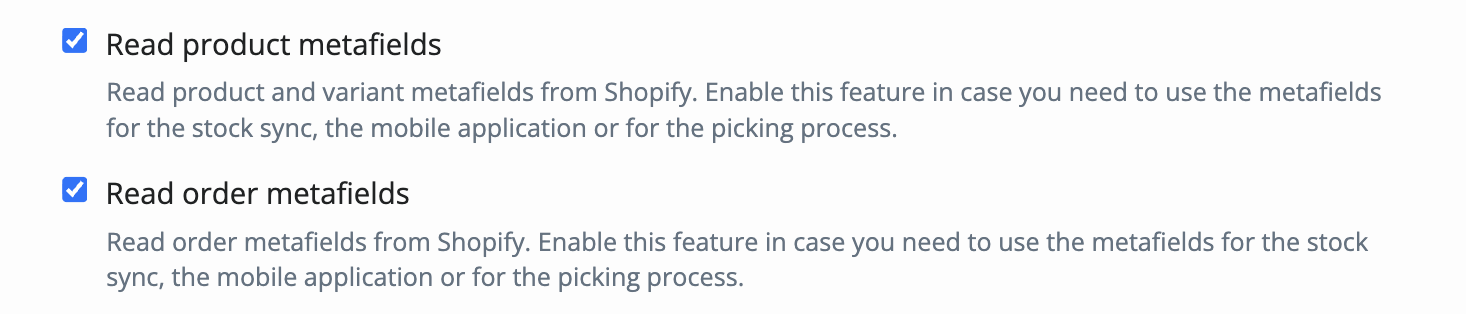
4. Enable Metafield Reading in xConnector
- Go to: xConnector → Profile → Preferences → Automation
- Enable Read order metafields.
How it works:
The Flow will automatically add the metafield check-on-delivery to the order.
Based on the Flow - there is an automated tag added

You can also filter the orders with this tag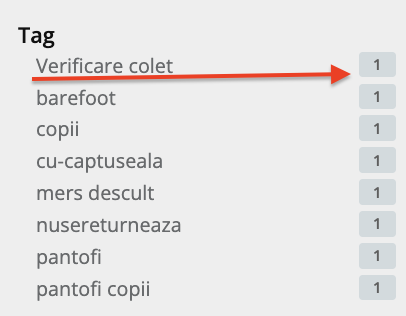
xConnector reads the metafield at the order level and automatically checks the option "Customer can check products upon delivery." when you generate the Shipping label
This feature is available to Advanced planContact
➡️ Need help with xConnector? We are just a message away:
Chat: click the blue chat icon (bottom-right)
E-mail: support@xconnector.app
Phone: +4 0373 747 991
➡️ Stay connected with xConnector:
Facebook group: https://www.facebook.com/groups/shopify.romania.xconnector
Facebook page: https://www.facebook.com/xConnectorApp
TikTok: https://www.tiktok.com/@xconnector.app
YouTube: https://www.youtube.com/@xconnector_app
Was this article helpful?
That’s Great!
Thank you for your feedback
Sorry! We couldn't be helpful
Thank you for your feedback
Feedback sent
We appreciate your effort and will try to fix the article