
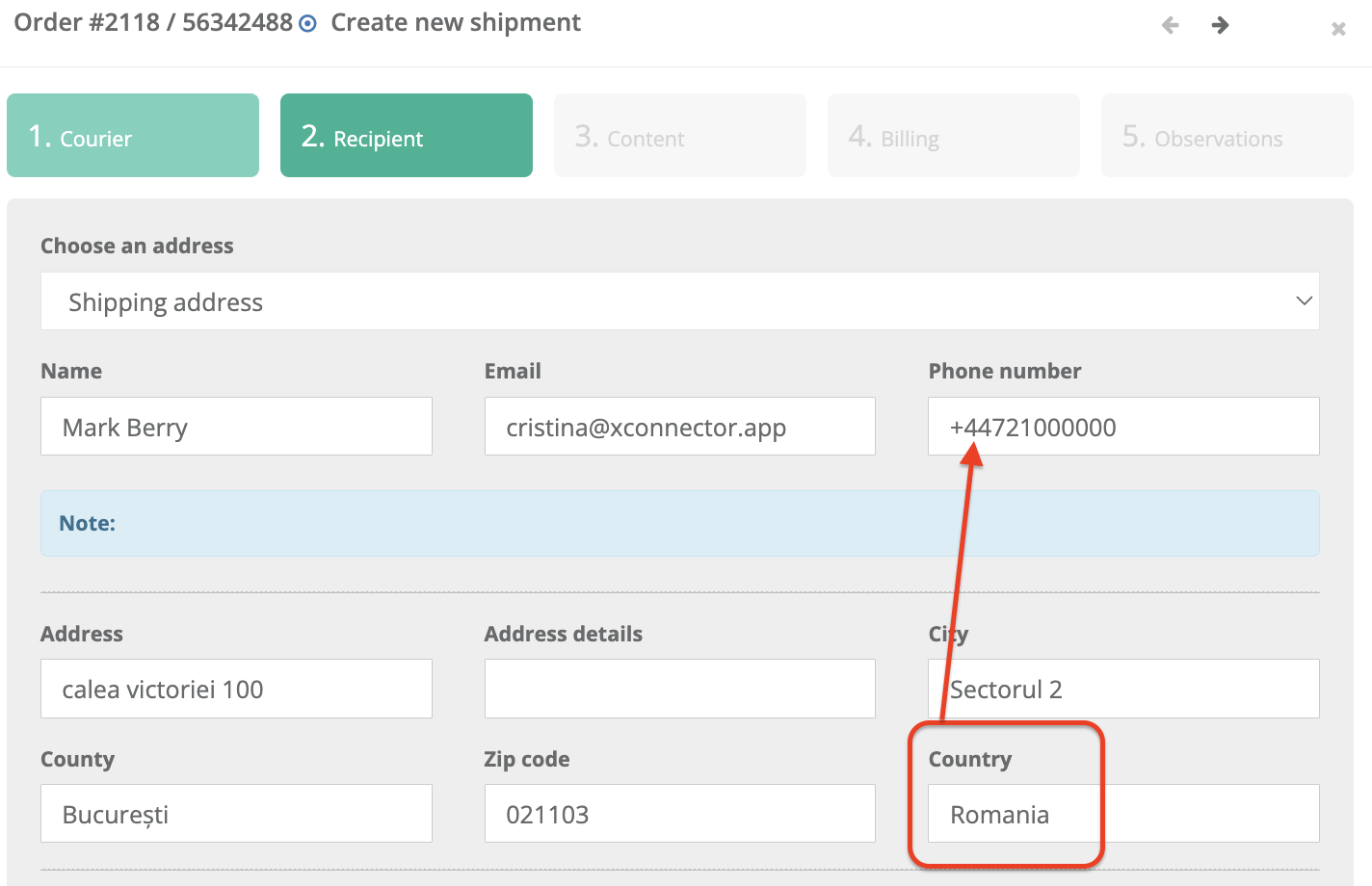
This error occurs when the Flex Delivery SMS / FSS option is enabled for a GLS shipment, but the recipient's phone number is missing or is not in a format accepted by GLS.
FSS stands for Flex Delivery SMS Service and is used to send delivery-related information to the recipient by SMS.
What should be checked:
- The order must contain a recipient phone number.
- The phone number must be in a format accepted by GLS and must include the international country prefix of the destination country.
For example, for a delivery to Romania:+407xxxxxxxx. - If SMS notifications are not required, disable the Flex Service SMS / FSS option in the GLS service configuration.
Possible solutions:
- Either disable the SMS service
- or update the phone number so that it includes the international country prefix corresponding to the shipping destination country
Example:
Either disable the SMS service
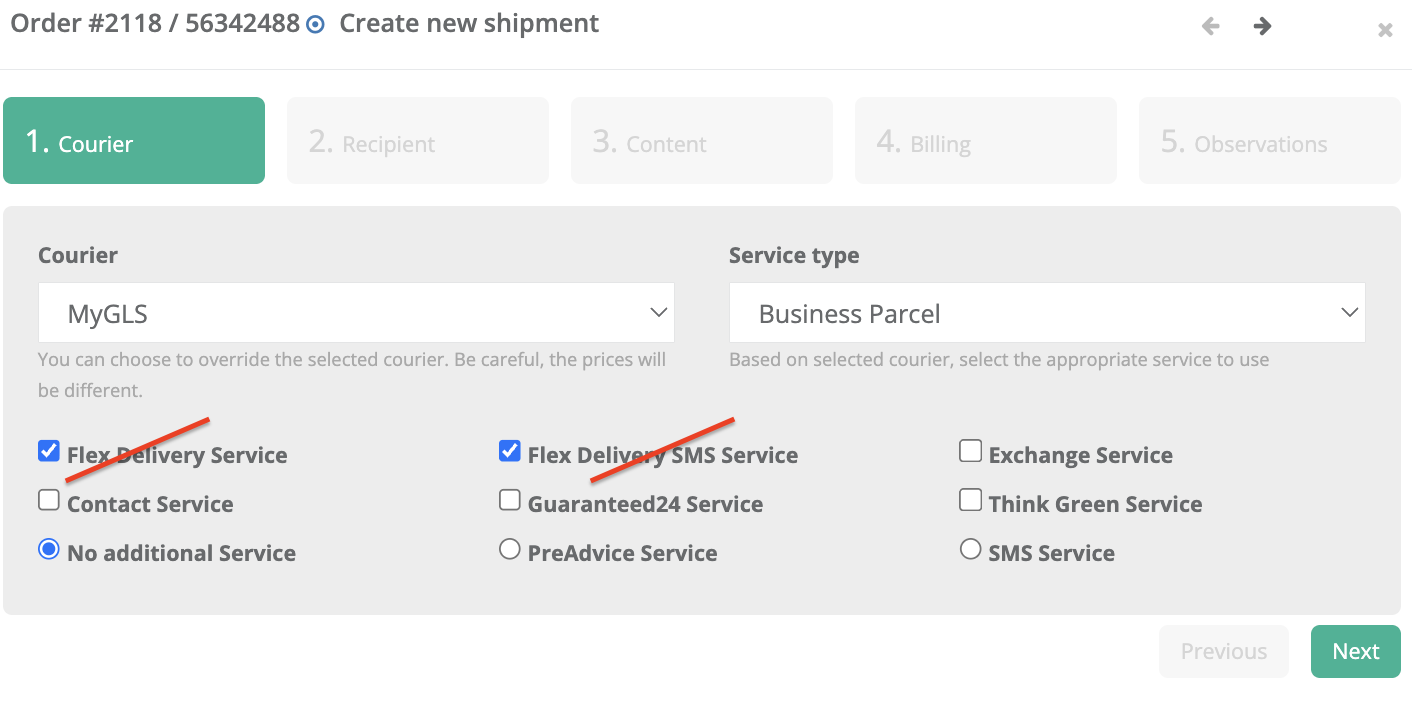
or update the phone number so that it includes the international country prefix corresponding to the shipping destination country
Was this article helpful?
That’s Great!
Thank you for your feedback
Sorry! We couldn't be helpful
Thank you for your feedback
Feedback sent
We appreciate your effort and will try to fix the article