If you want to offer discounts for product bundles, you need to use dedicated bundle applications, either Shopify's native app or third-party apps.
These applications allow you to create predefined product bundles and automatically apply a discount to each bundle.
This means that once such a bundle is purchased, the configured discount is automatically applied to the total value of the products included in that bundle.
After the sale, when the order needs to be invoiced, there are 2 possible ways the discount can appear on the invoice:
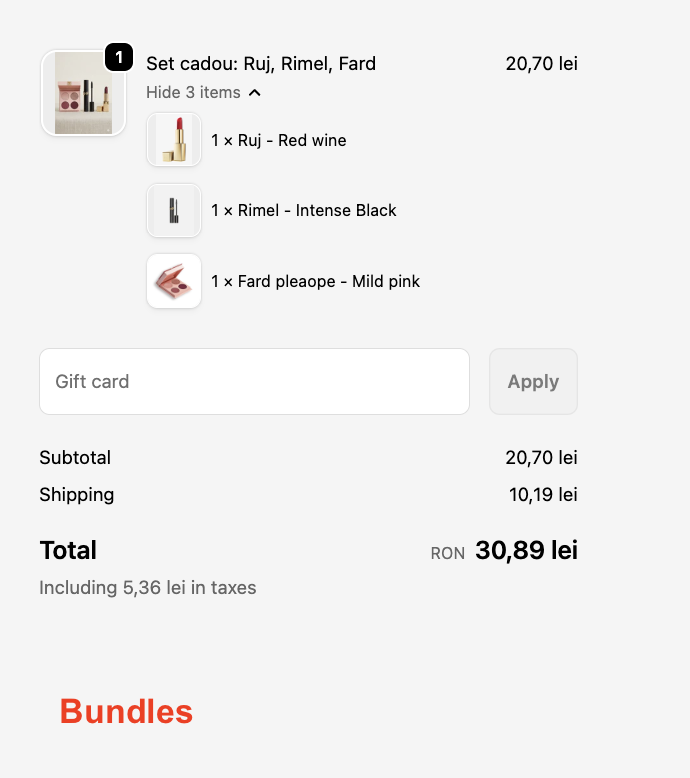
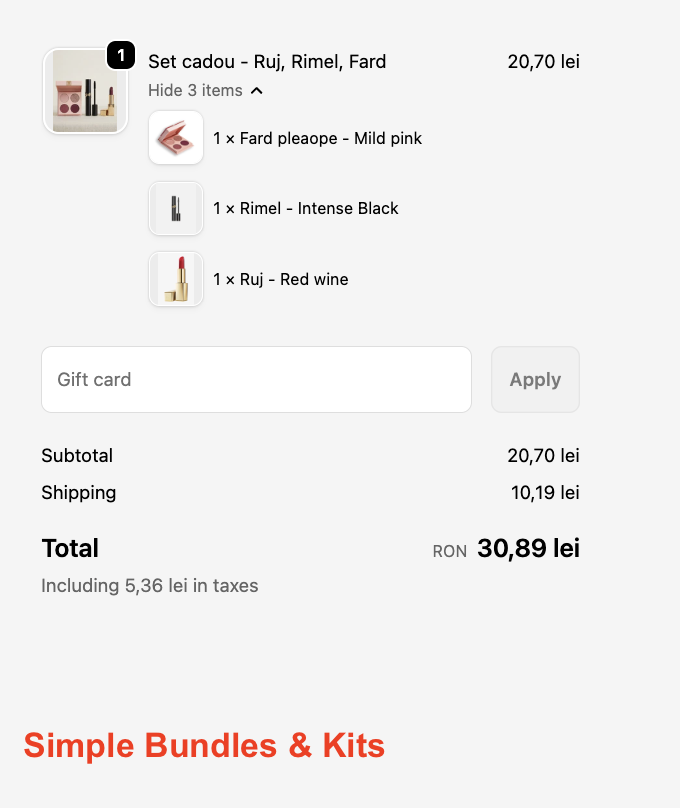
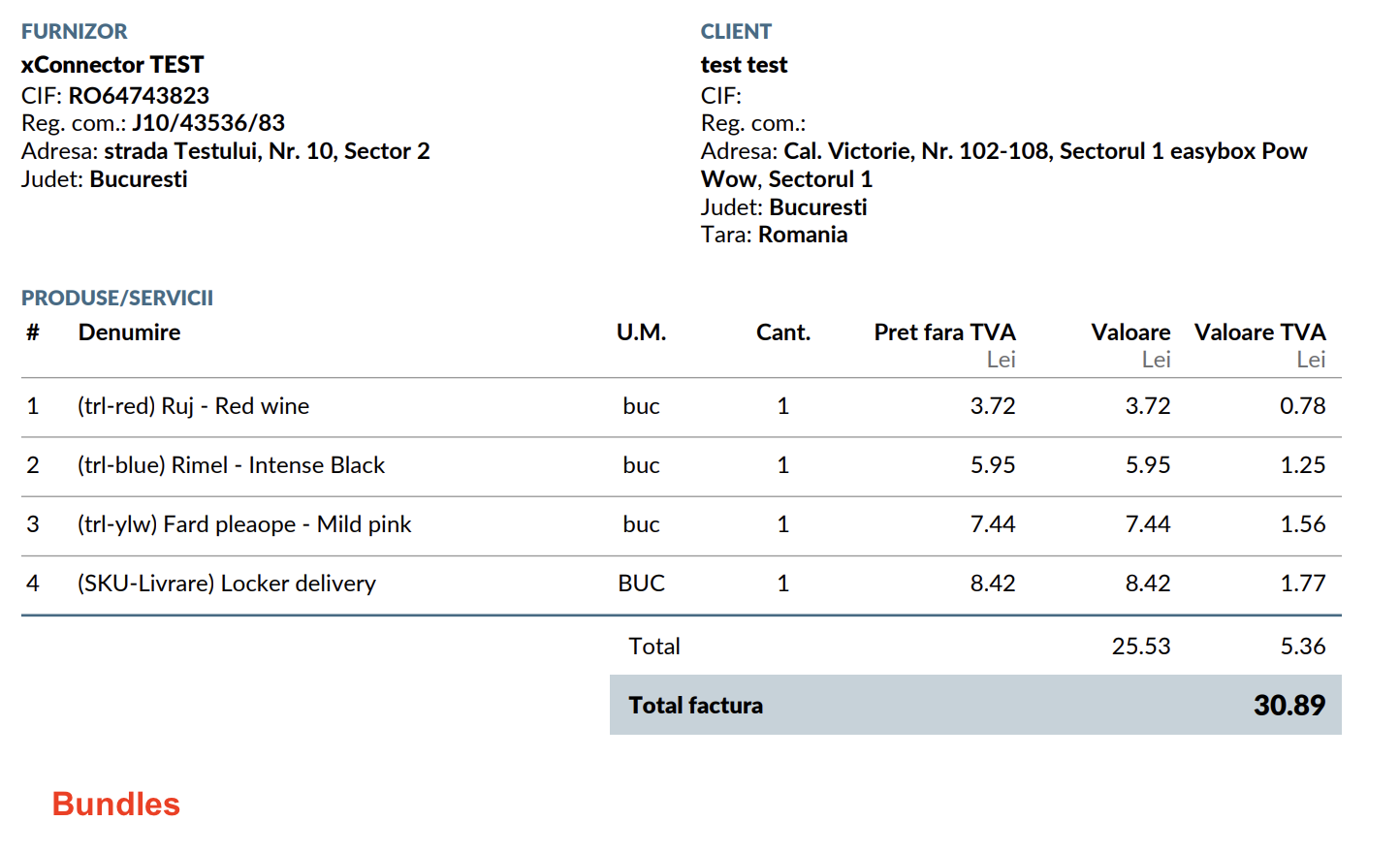
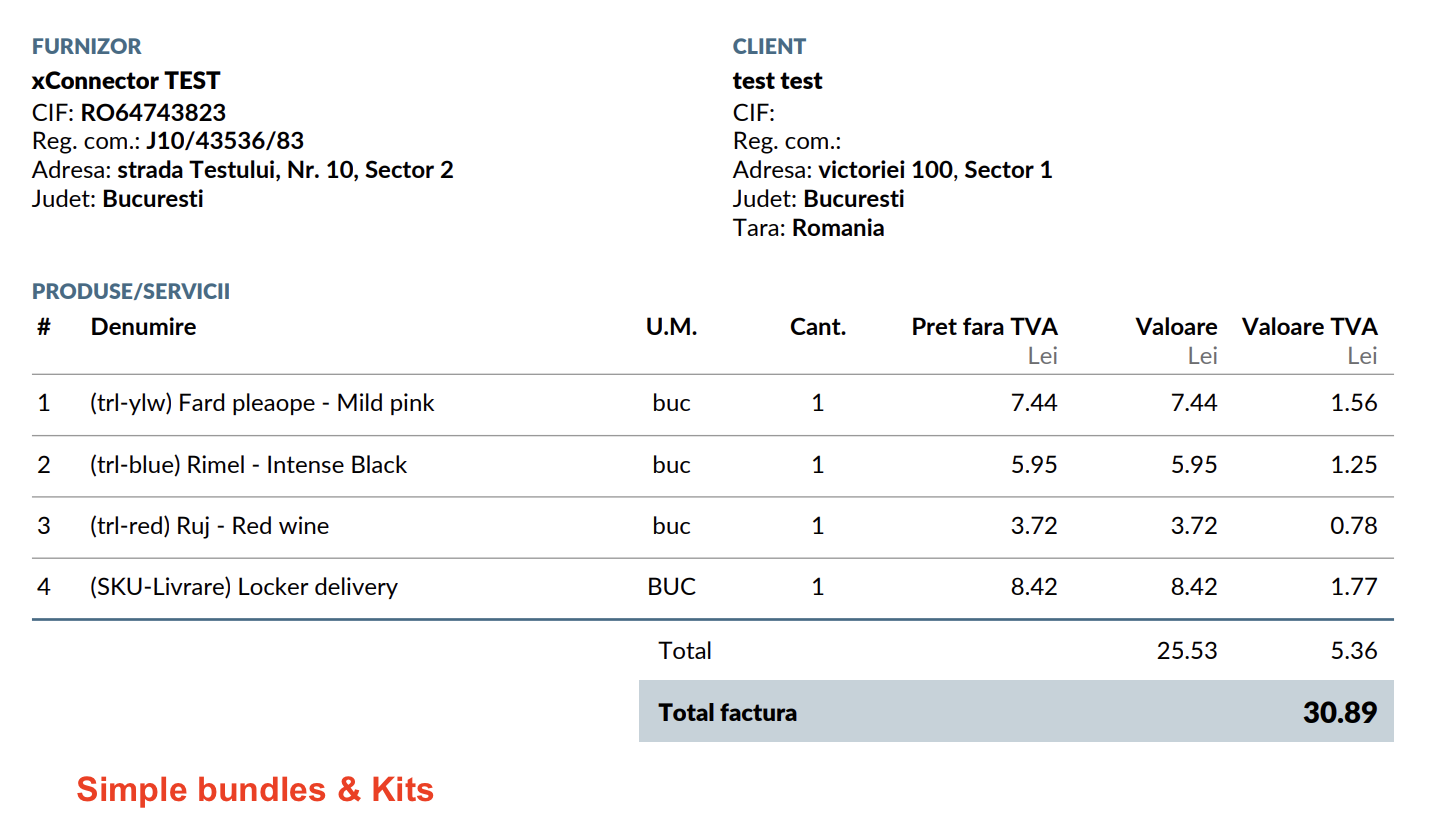
1. The invoice shows the final prices, meaning the discount has already been included in the item prices.
Examples:
- Bundles - Shopify app - Free
- Simple Bundles and Kits - third-party app - Paid
Checkout display
Invoice display
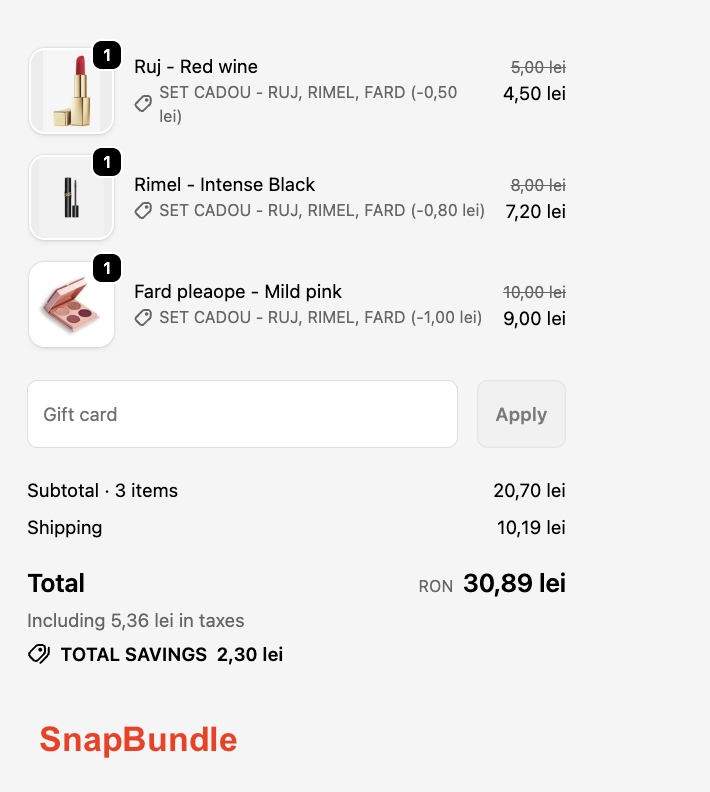
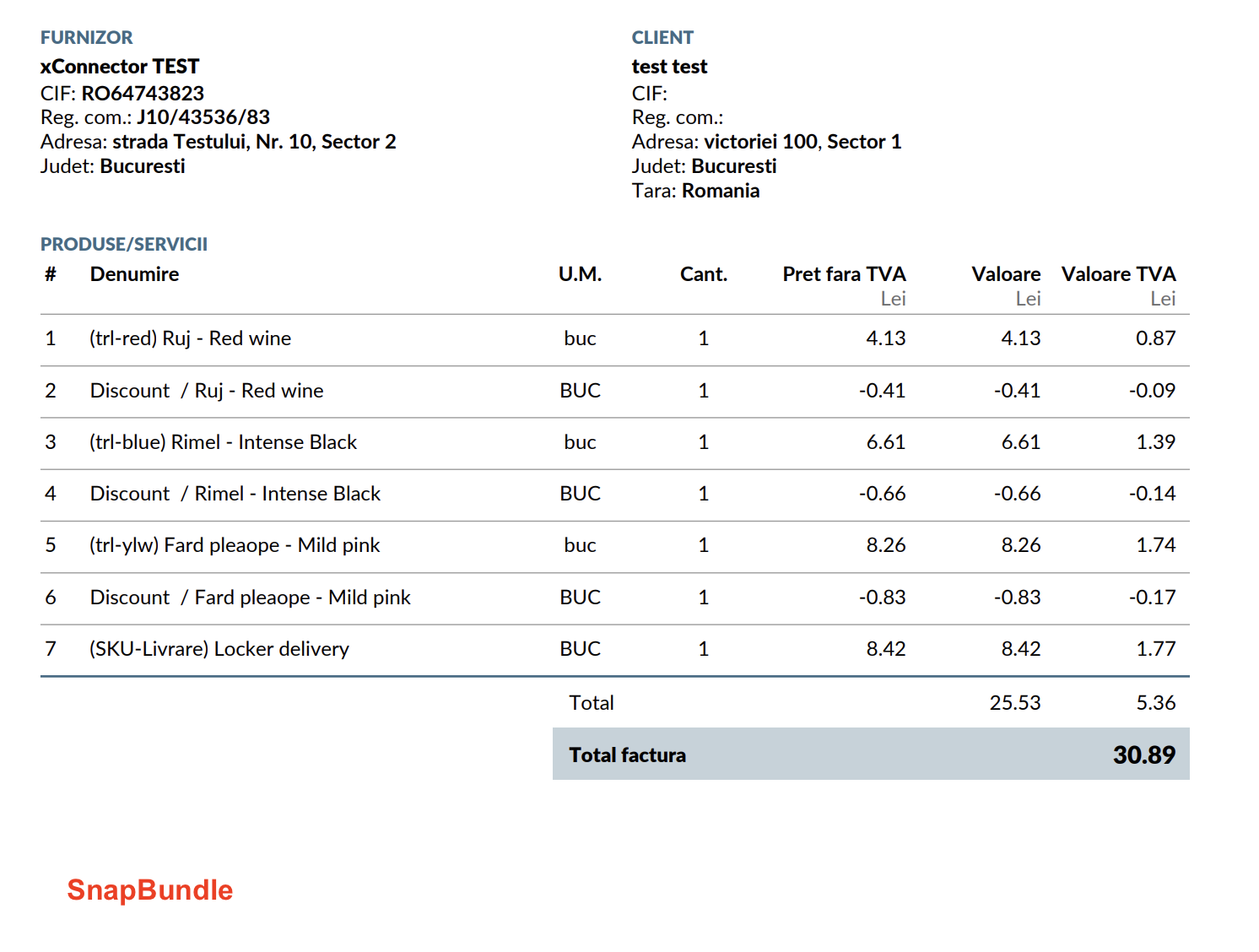
2. The invoice shows the total price and a separate discount line
Example:
- Snap Bundle - third-party app - Paid
Since Shopify does not provide a native solution for method 1, we investigated this case and found an app that displays the applied discount both at checkout and on the invoice.
Checkout example
Invoice example
Was this article helpful?
That’s Great!
Thank you for your feedback
Sorry! We couldn't be helpful
Thank you for your feedback
Feedback sent
We appreciate your effort and will try to fix the article